
Letters of Guarantee on Purchase Orders — Complete Guide with a Worked Example
Contents
- What a letter of guarantee is (commercial and finance logic)
- How D365 models it: requester and treasurer, the action rules
- Setup, A to Z (with the values used)
- Worked example 1 — LG 000001: request, issue, give, increase, extend, decrease
- Liquidation and settling the vendor invoice
- Worked example 2 — LG 000002: cancellation
- Postings per action and the totals of the example
- Contingent liability: where it lives and how to disclose it
- Pitfalls found in the run and how to avoid them
- Test data reference
1. What a letter of guarantee is
A letter of guarantee (LG, bank guarantee) is the bank's written promise to pay a beneficiary if its customer, the applicant, does not meet an obligation. On a purchase order the applicant is us (the buyer), the beneficiary is the vendor, and the issuer is our bank.
| Type | Typical use on purchasing | Who claims |
|---|---|---|
| Payment guarantee | Vendor ships on credit; the LG guarantees we pay the invoice (used in this guide: type PayG). | Vendor, when we do not pay at due date |
| Advance payment guarantee | We pay an advance; the vendor's bank guarantees it back (an LG we receive, not one we issue). | Us |
| Bid bond / performance bond / retention | Demo types BidB, PerfB, RetM exist in USMF for these. | Depends on the contract |
Why finance cares
No liability is booked when the LG is issued. The obligation is still the PO/invoice. The LG is a contingent liability (IAS 37 / ASC 450): disclose it, do not recognise it, until a claim becomes probable.
Cash margin. The bank blocks a percentage of the value (here 10%) from our account as collateral. It is still our money, so it moves from Bank to a margin receivable account and comes back when the LG ends.
Commissions. The bank charges issuance, increase and extension commissions. They are expenses (bank charges).
Facility limit. Each bank gives an LG line (here 1,000,000 USD). Every open LG uses part of it; ending the LG releases it.
Liquidation. If the vendor claims, the bank pays the vendor and debits us. Our debt to the vendor is then paid by the bank, so the vendor invoice must be settled against that bank payment — not paid twice (section 5).
2. How D365 models it
Two roles work on the same LG record:
| Role | Where | What |
|---|---|---|
| Requester (purchaser) | Purchase order > Manage > Bank document > Letter of guarantee | Request, and request give to beneficiary / increase / decrease / extend / cancel / liquidate |
| Treasurer | Cash and bank management > Letters of guarantee > Letter of guarantee | Executes each request: submit to bank, receive from bank (posts), give to beneficiary, increase, decrease, extend, cancel, liquidate (post) |
Which button is enabled is decided by BankLGType.isActionAvailable (standard code). This is the full rule set:
| Action | Allowed when LG status is | Facility status | Posts? |
|---|---|---|---|
| Request (from PO) | no LG yet; PO bank document type = Letter of guarantee | — | No |
| Submit to bank (treasury) | Request | Requested | No (reserves the facility) |
| Receive from bank (treasury) | Submitted to bank | Requested → Open | Yes: margin + issuance commission |
| Request give to beneficiary | Received from bank | Open | No |
| Give to beneficiary (treasury) | Request give to beneficiary | Open | No |
| Request increase / decrease / extend / cancel / liquidate | Given to beneficiary, Value increased, Value decreased or Extended | Open | No |
| Execute increase | Request increase value | Open | Yes: extra margin + commission |
| Execute decrease | Request decrease value | Open | Yes: margin released (+ commission if set) |
| Execute extend | Request extend | Open | Yes: extension commission |
| Execute cancel | Request cancel | Open → Closed | Yes: margin released |
| Execute liquidate | Request liquidate | Open → Closed | Yes: margin released + bank pays the value |
| Request extend / cancel after auto expiry | any, when the expiry date has passed (auto-expired) | Closed | — |
Rule to remember: after Receive from bank the only next step is Give to beneficiary. Cancel, extend, increase, decrease and liquidate are offered only after the LG has been given to the beneficiary (we tested: Cancel stays greyed out on a received LG).
3. Setup, A to Z
3.1 Cash and bank management parameters
Cash and bank management > Setup > Cash and bank management parameters > Bank document: turn on Enable letter of guarantee and pick the journal name used for LG postings (LGJrn).
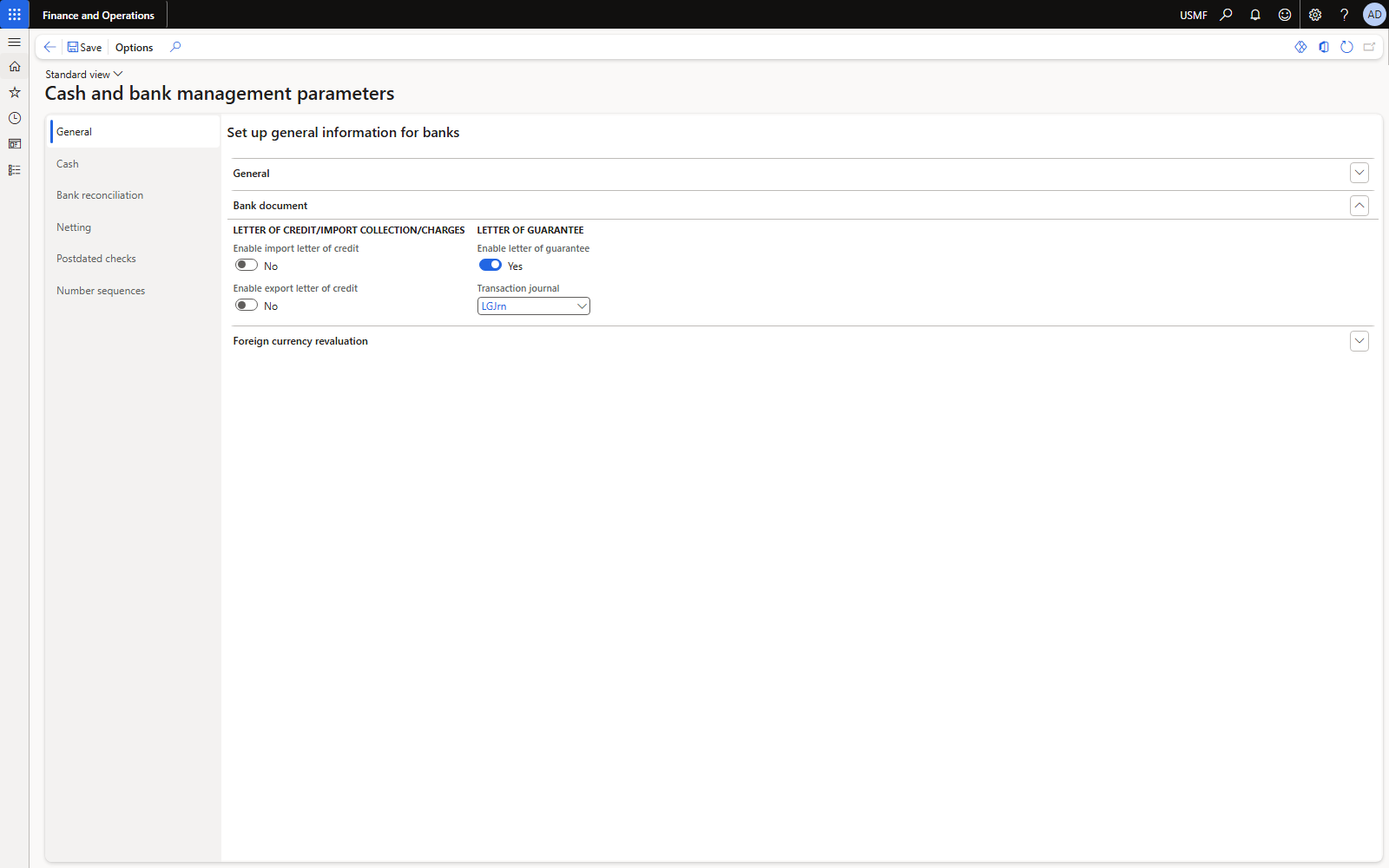
Figure 1. Bank document tab: Enable letter of guarantee = Yes, transaction journal LGJrn.
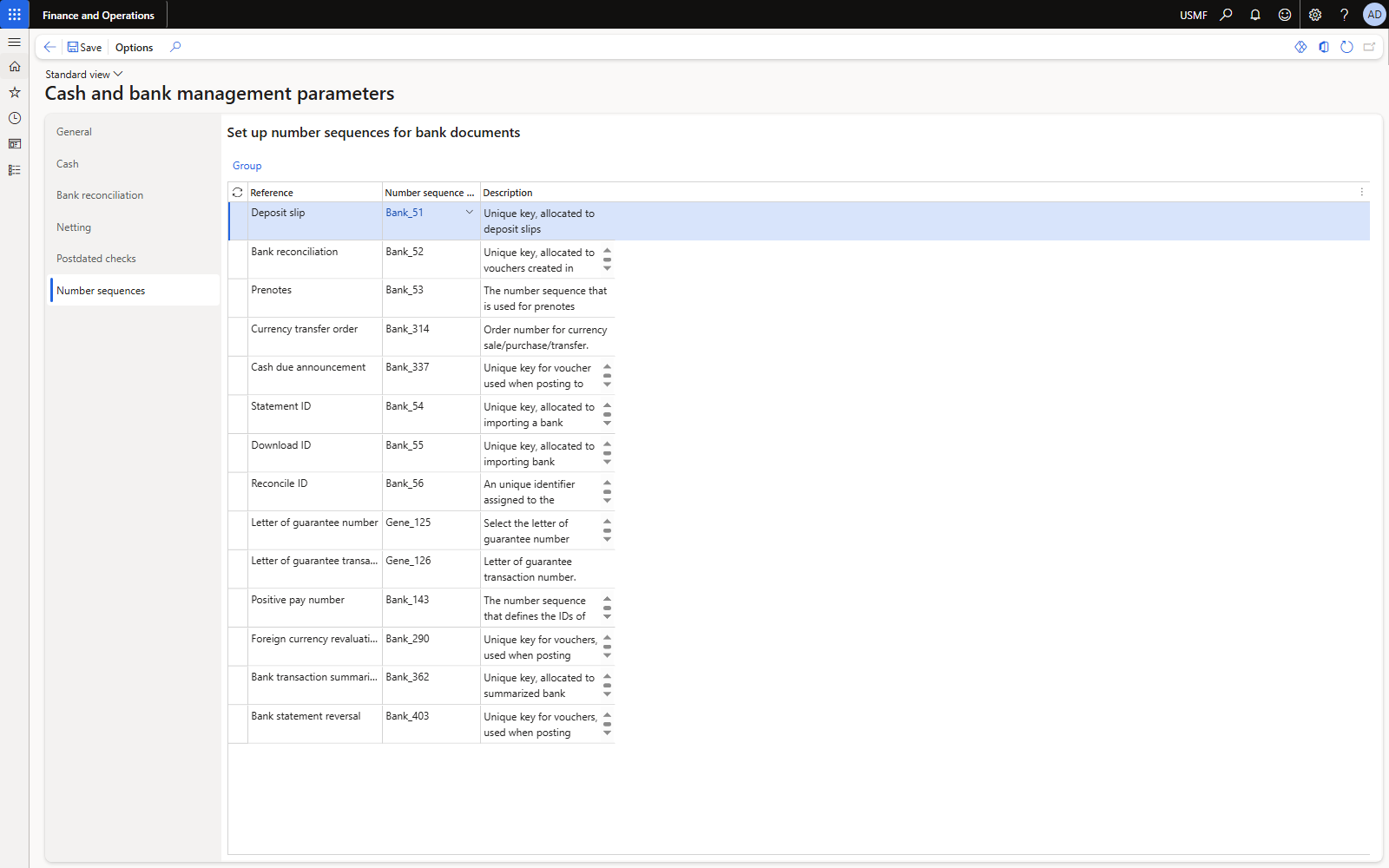
Figure 2. Number sequences tab: letter of guarantee number and LG action number.
3.2 Journal name LGJrn
General ledger > Journal setup > Journal names. Type Daily, voucher series for LG (LG_####), New voucher = In connection with balance.
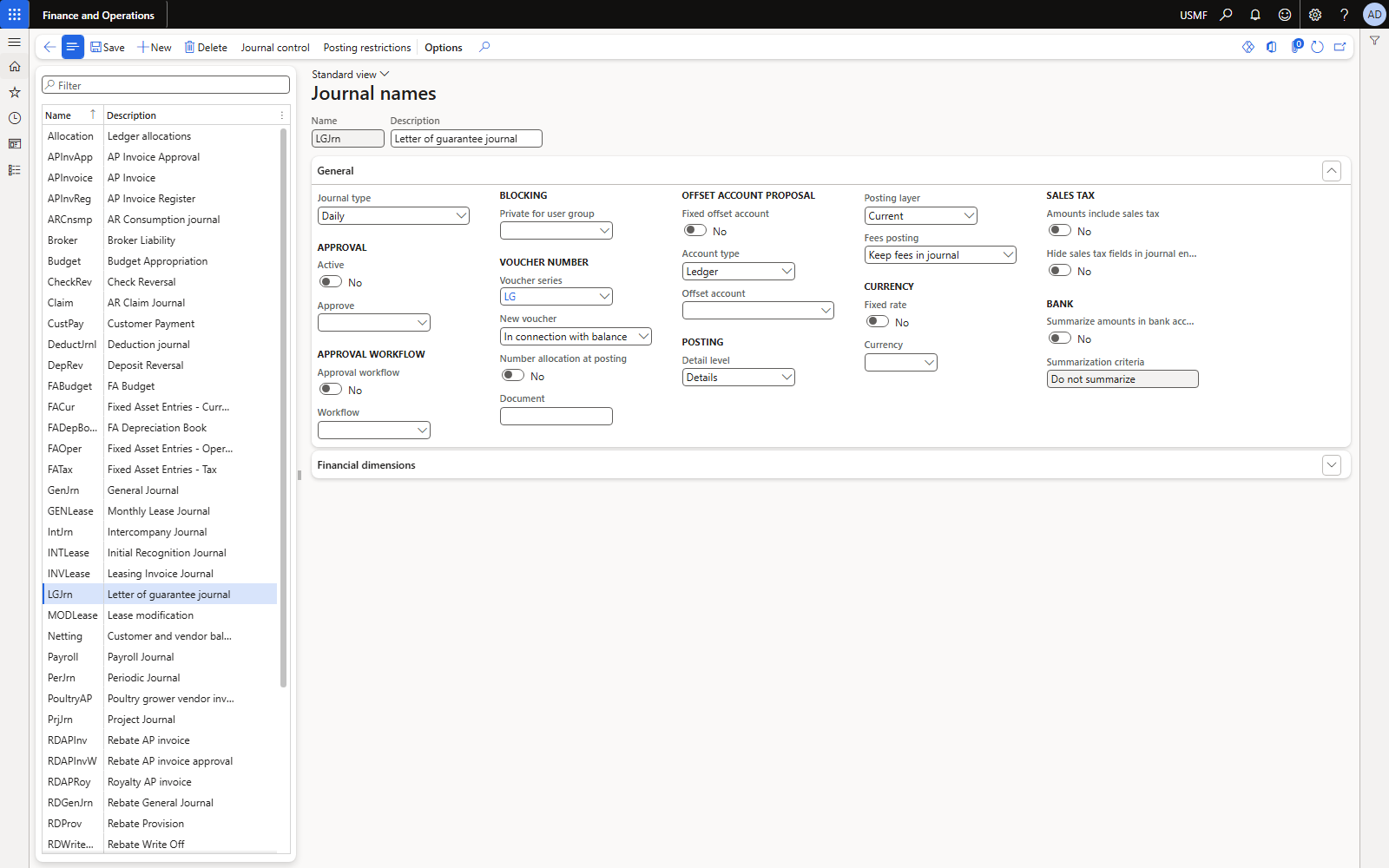
Figure 3. Journal names: LGJrn (Letter of guarantee journal).
3.3 General ledger parameter — multiple transactions per voucher
Required. Receive from bank and Increase value post the margin line and the commission line in one voucher, each with the bank account as offset (class BankLGLedgerJournalPost takes one voucher per action). With Allow multiple transactions within one voucher = No the posting fails with “Voucher LG_0002 There can only be one bank account transaction per voucher”. We set it to Yes in General ledger parameters > Ledger (D365 shows a warning that Microsoft does not recommend it; it is needed for this feature unless margin or commission is zero).
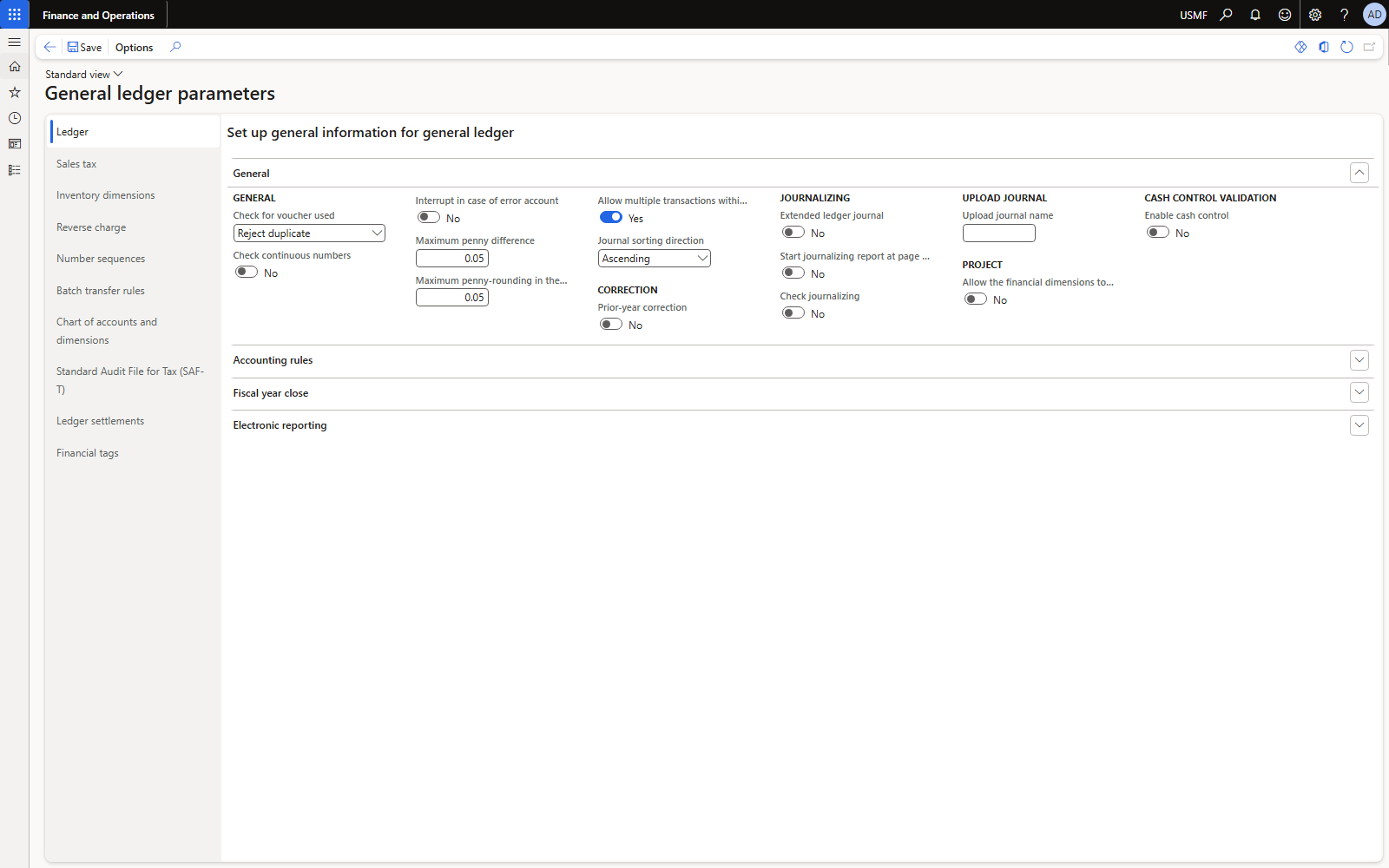
Figure 4. General ledger parameters: Allow multiple transactions within one voucher = Yes.
3.4 Facility groups and facility types
Cash and bank management > Setup > Bank documents > Bank facility. Group LG exists in USMF; we added type PayG “Payment guarantee (purchase)”, nature Letter of guarantee.
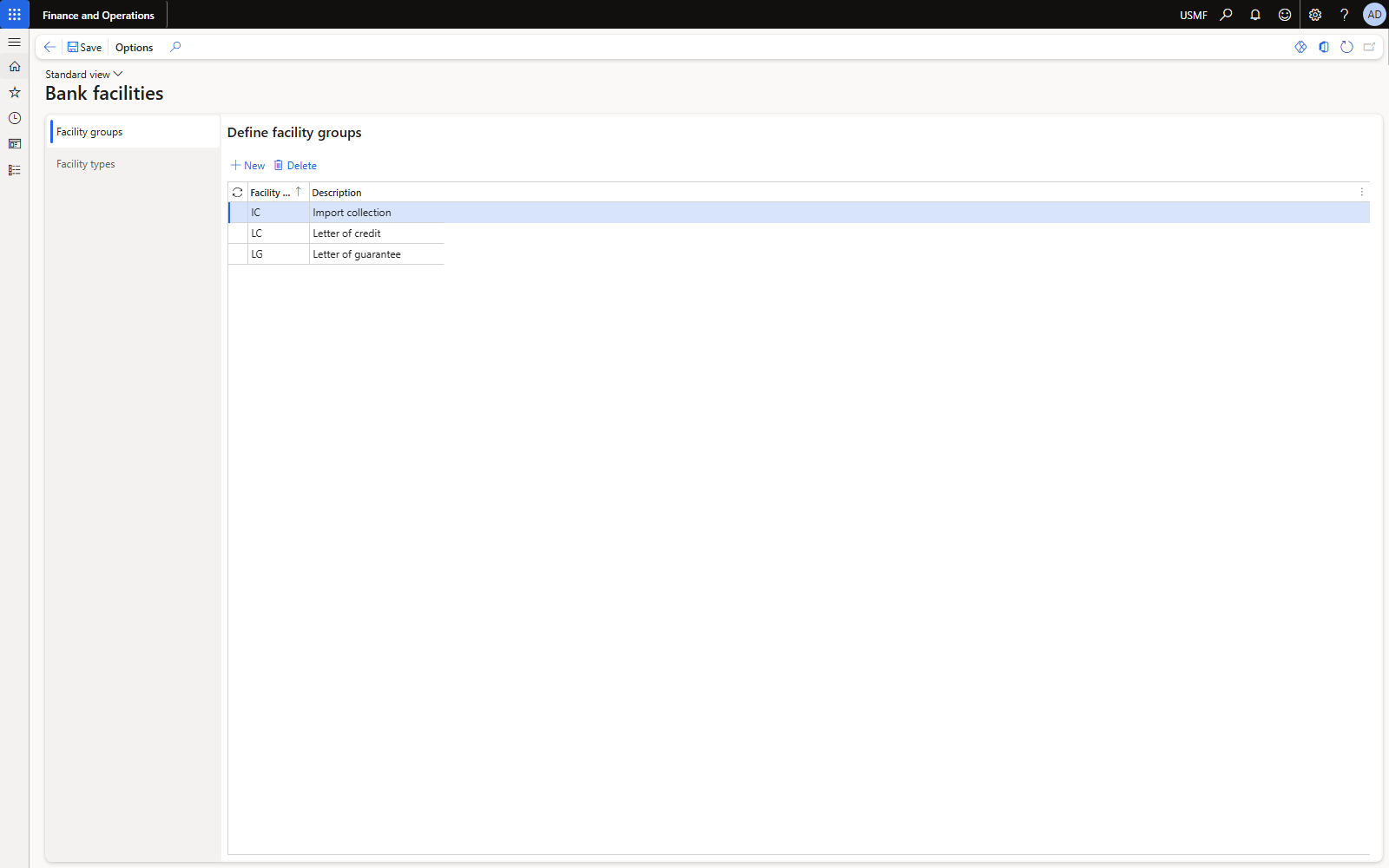
Figure 5. Facility groups LC / LG / IC.
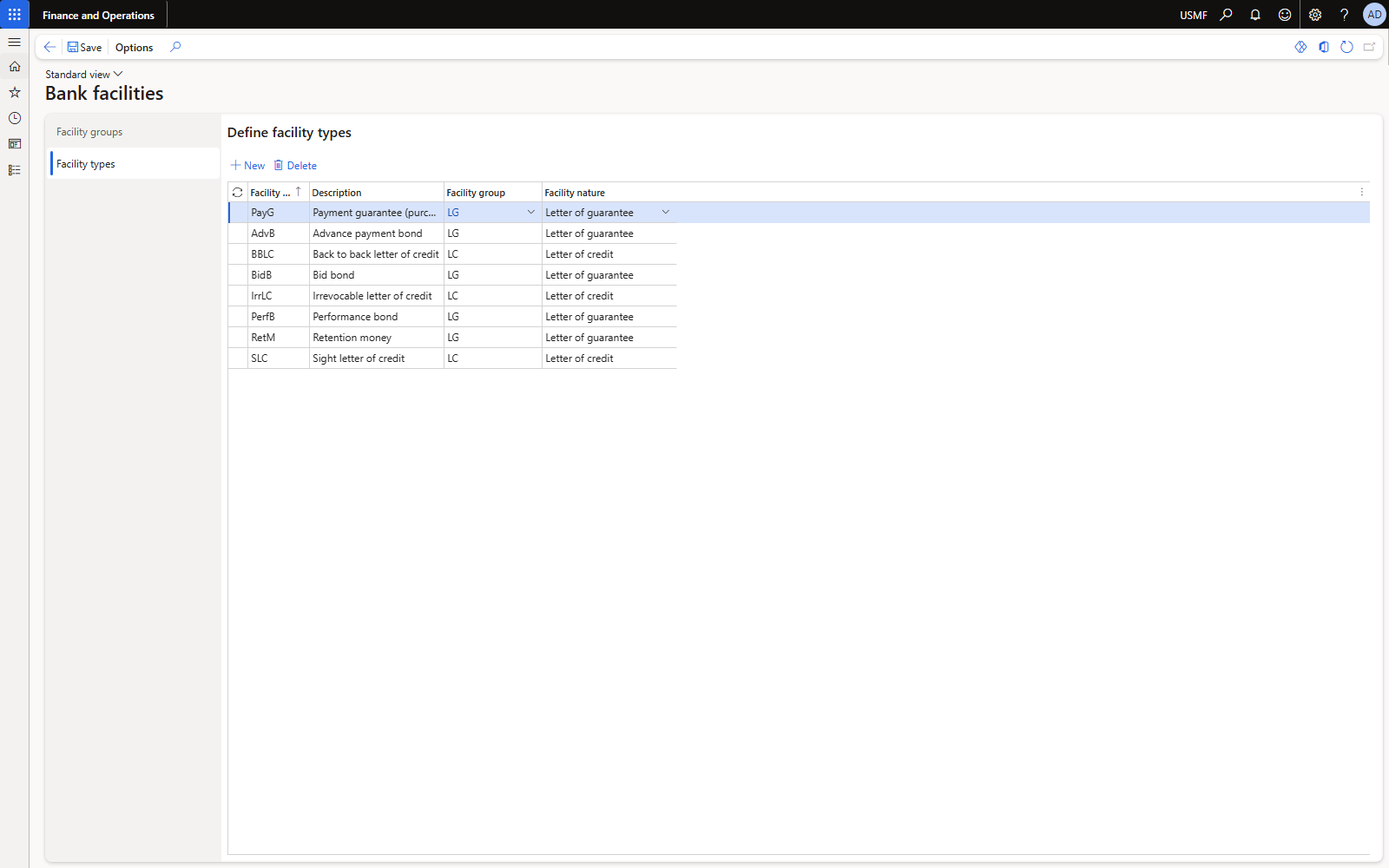
Figure 6. Facility types, with the new PayG line.
3.5 Posting profile (bank document posting)
Cash and bank management > Setup > Bank documents > Posting profiles. Line Table = PayG:
| Field | Account (USMF) | Used by |
|---|---|---|
| Settle account | 200110 | Letters of credit / import collections; not used by LG postings |
| Bank charges | 618190 Bank fees expense | All commissions |
| Margin | 132190 Prepaid other expenses (stand-in for “LG cash margin receivable”) | Receive, increase, decrease, cancel, liquidate |
| Liquidation account | 200190 (stand-in for “LG liquidation clearing”) | Liquidate |
Do not use the AP control account as liquidation account. We first used 200110; it is blocked for manual entry, and the liquidation line was silently posted to the error account 999999 (General ledger parameters: Interrupt in case of error account = No). We reclassified it (section 5.4) and changed the line to 200190. In a real chart create dedicated accounts: LG cash margin (asset), LG liquidation clearing (liability), Bank guarantee commission (expense).
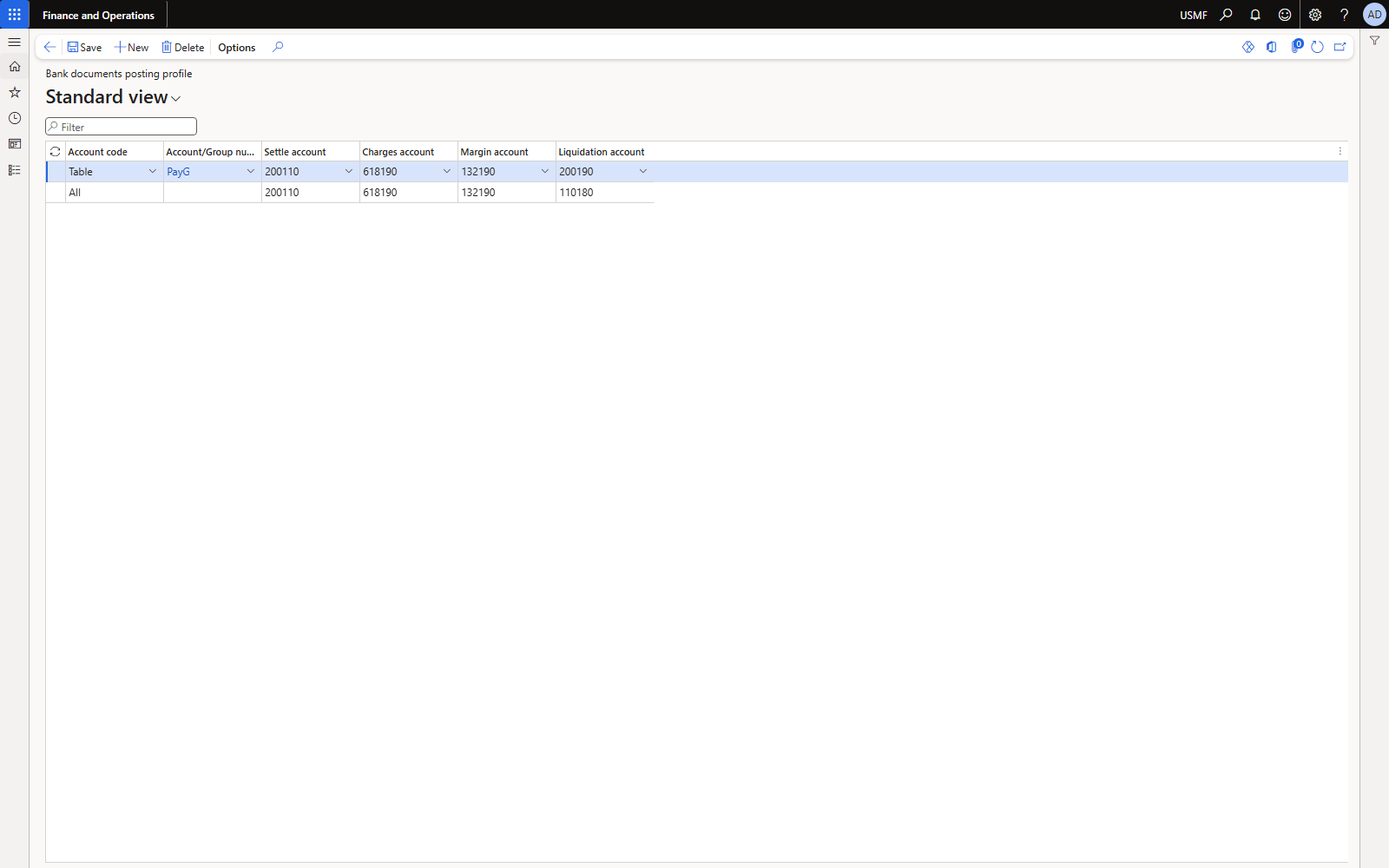
Figure 7. Posting profile: All line (demo) and the PayG line.
3.6 Bank facility agreement
Cash and bank management > Bank documents > Bank facility agreements. USMF/2026/LG01, bank account USMF OPER (USD), valid 1 Jan 2026 – 31 Dec 2027, line PayG limit 1,000,000. On the Letter of guarantee FastTab of the line: cash margin 10%, issuance 1%, extension 0.5%, increase 1%, decrease 0%.
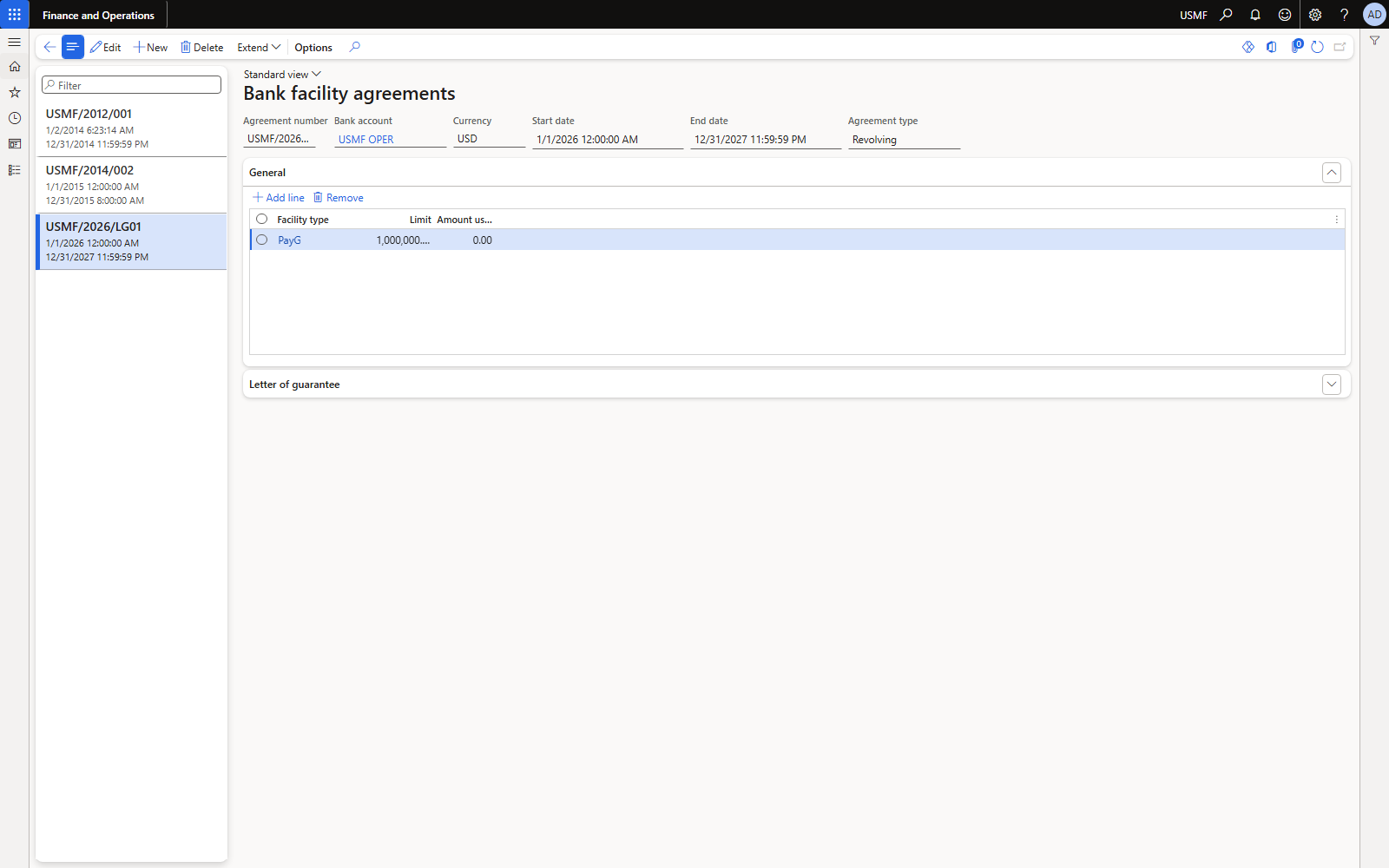
Figure 8. Facility agreement with the PayG line. Amount used shows the open LG value.
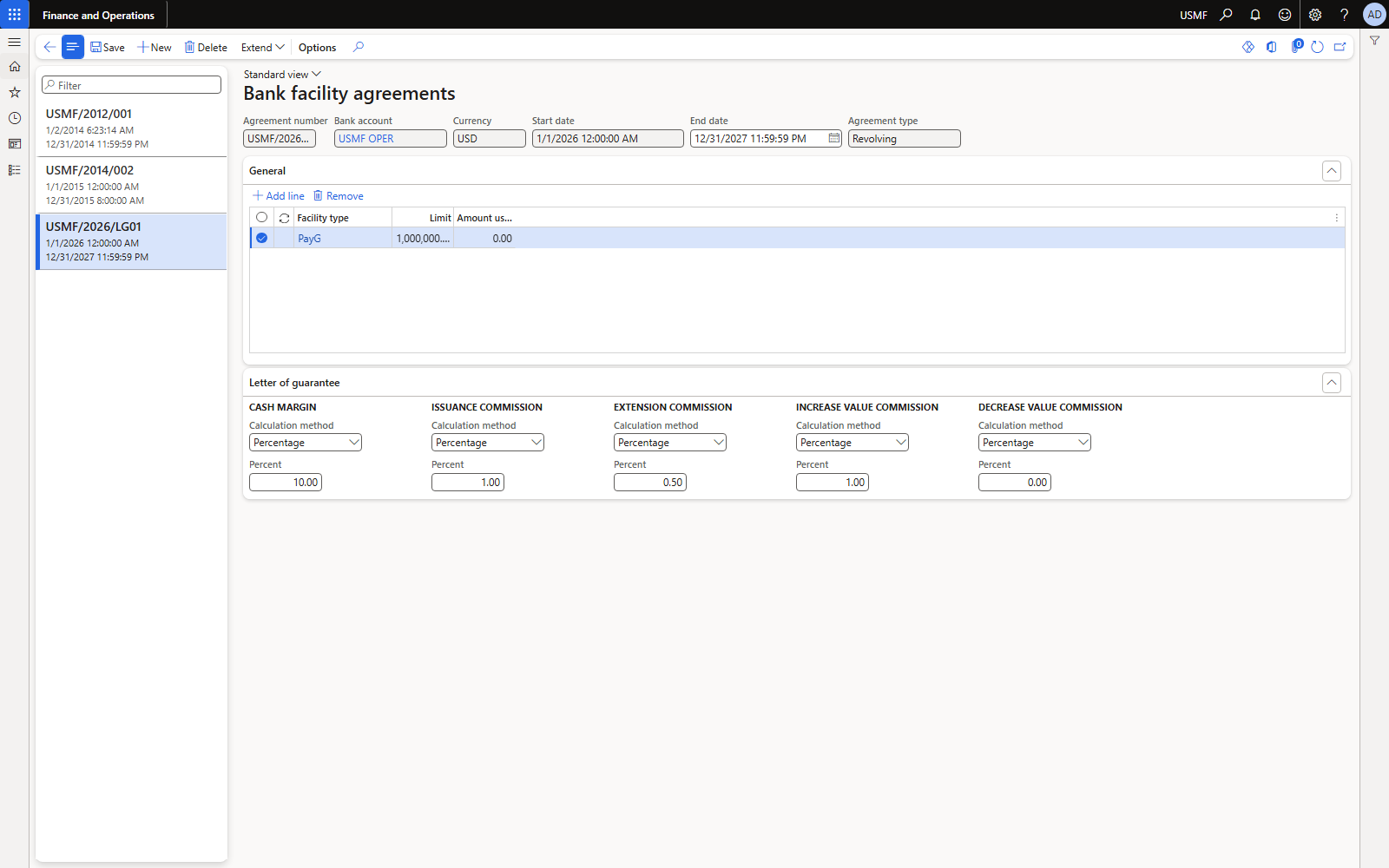
Figure 9. Letter of guarantee FastTab: calculation method and percentage per action.
The expiration date of the LG must fall inside the agreement's validity, and the currency must match the bank account, otherwise the agreement line is not offered in the lookup.
3.7 Bank reasons: purpose codes and cancellation reasons
Cash and bank management > Setup > Bank reasons. LGPAY with Purpose code ticked (it fills the Type on the request) and LGCANC with Cancellation reason ticked.
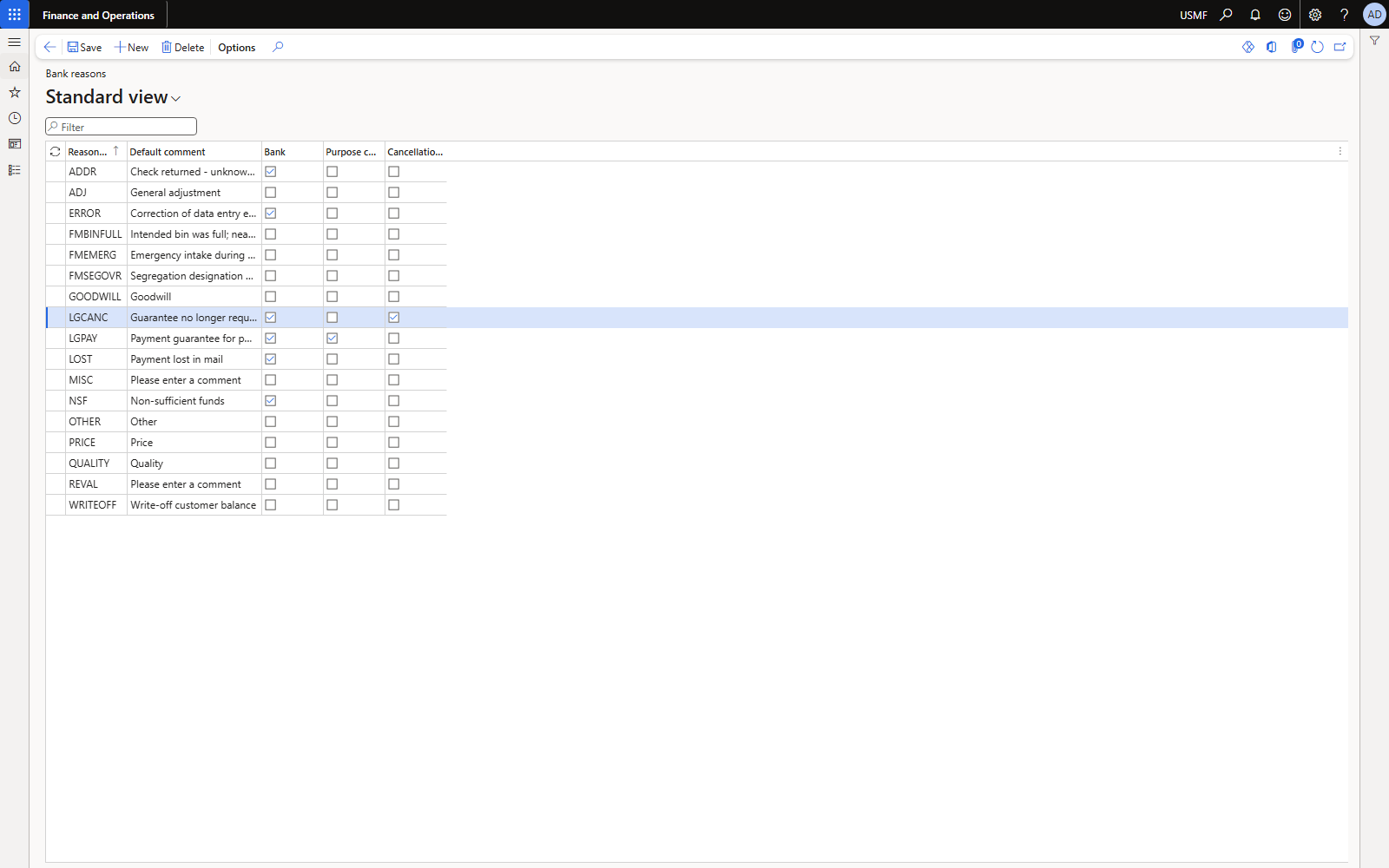
Figure 10. Bank reasons with the LG purpose code and cancellation reason columns.
4. Worked example 1 — LG 000001 on PO 00002000
Scenario: we buy 50 × Surface Pro (item 1000) at 1,000 USD from Fabrikam Supplier (US-104) = 50,000 USD. The vendor ships on credit only against a payment guarantee.
4.1 Purchase order with bank document type
Set Bank document type = Letter of guarantee in the create dialog (or later on the header: Price and discount FastTab > Payment), add the line, then confirm the PO.
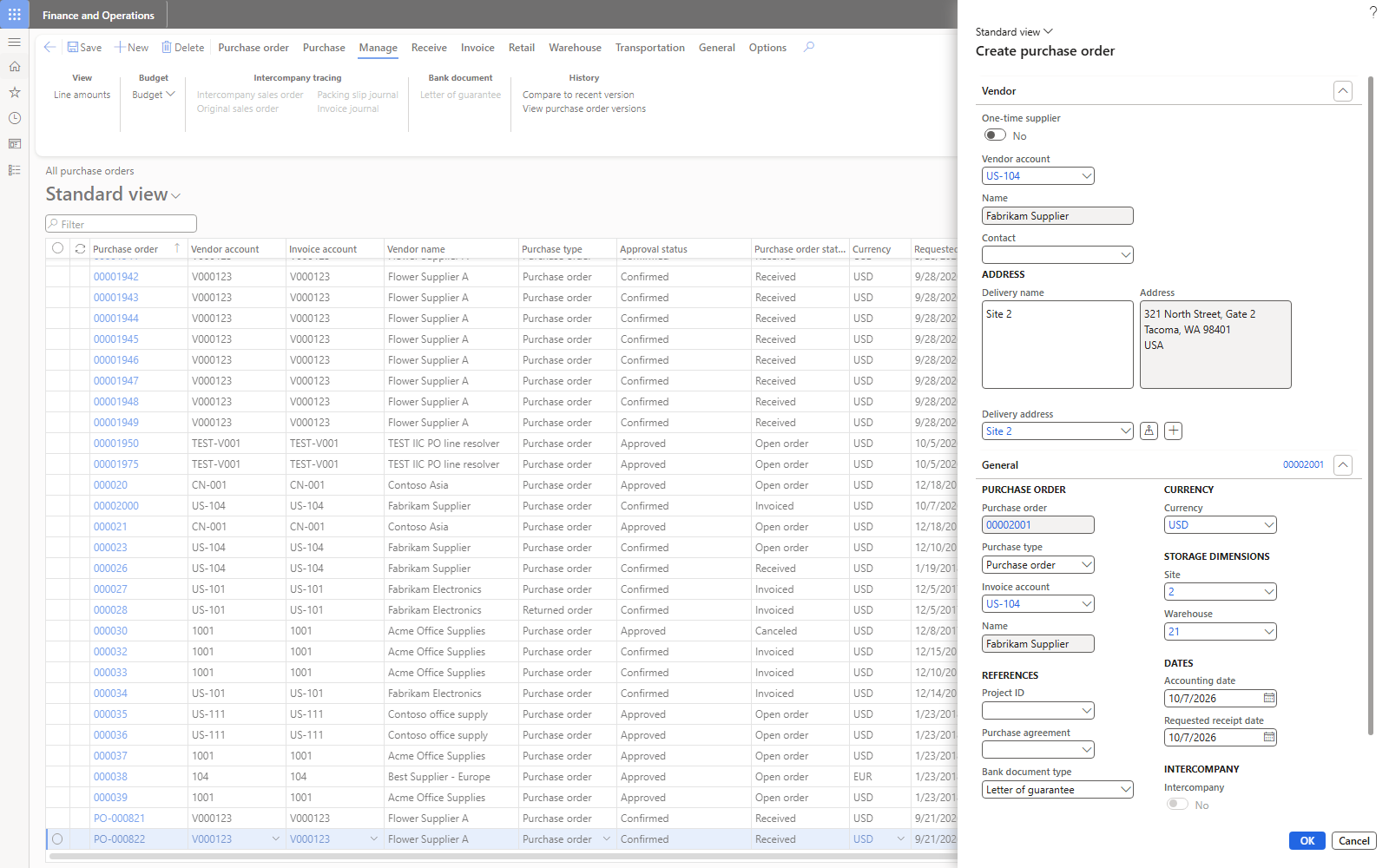
Figure 11. Create purchase order dialog: Bank document type = Letter of guarantee (shown on the second PO, 00002001).
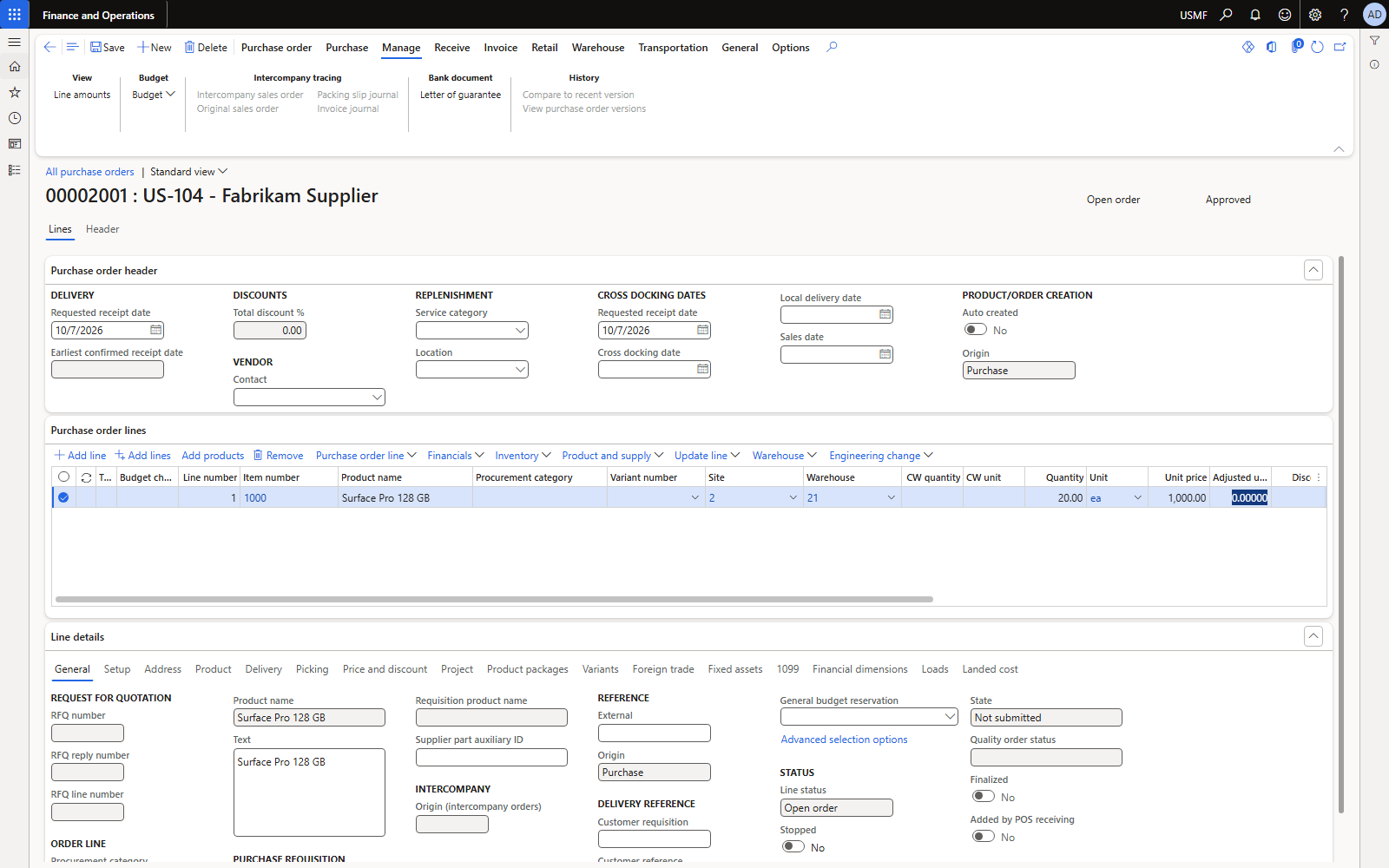
Figure 12. PO 00002000 line: 50 × 1,000.00 = 50,000.00.
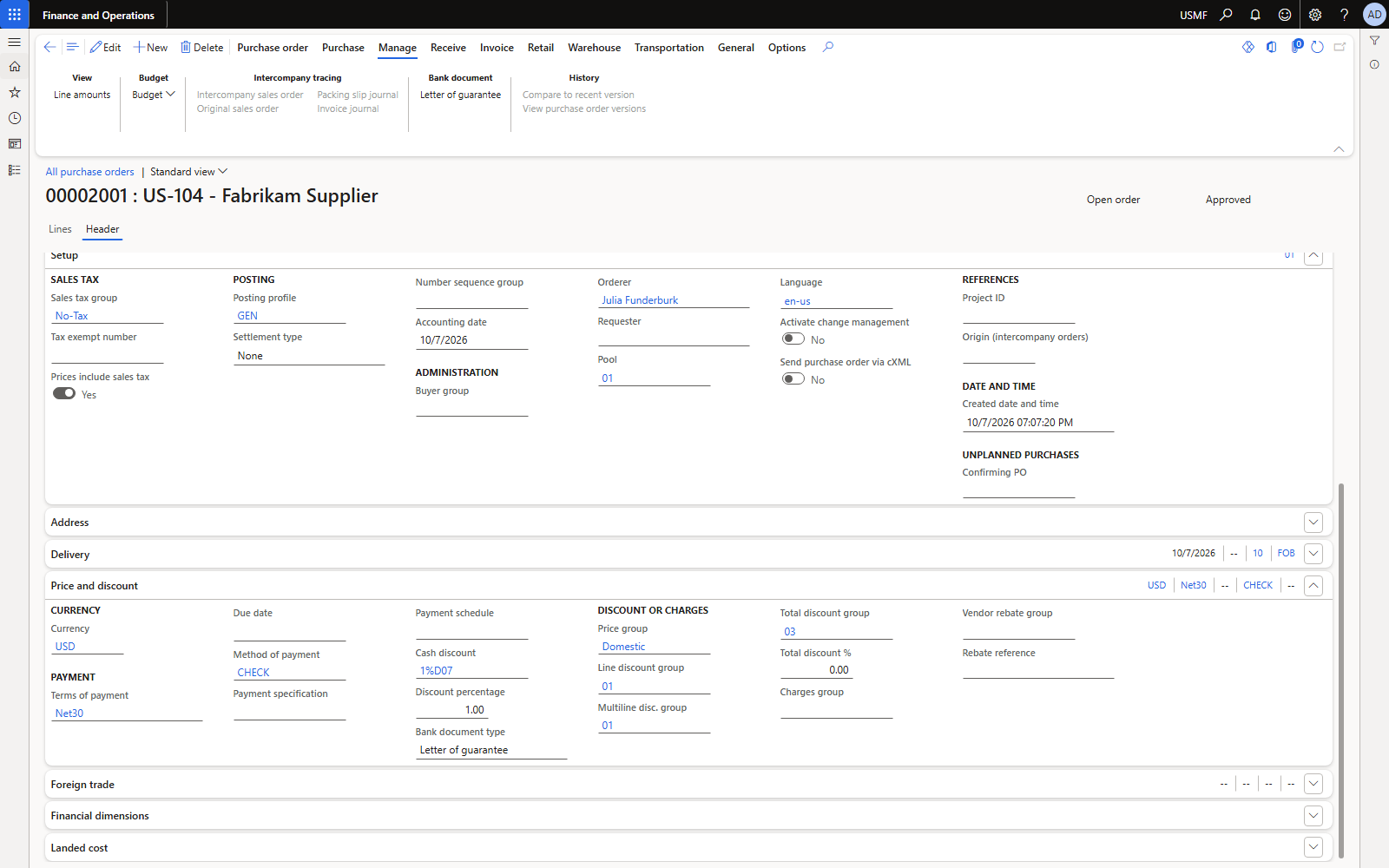
Figure 13. Header view: Bank document type field.
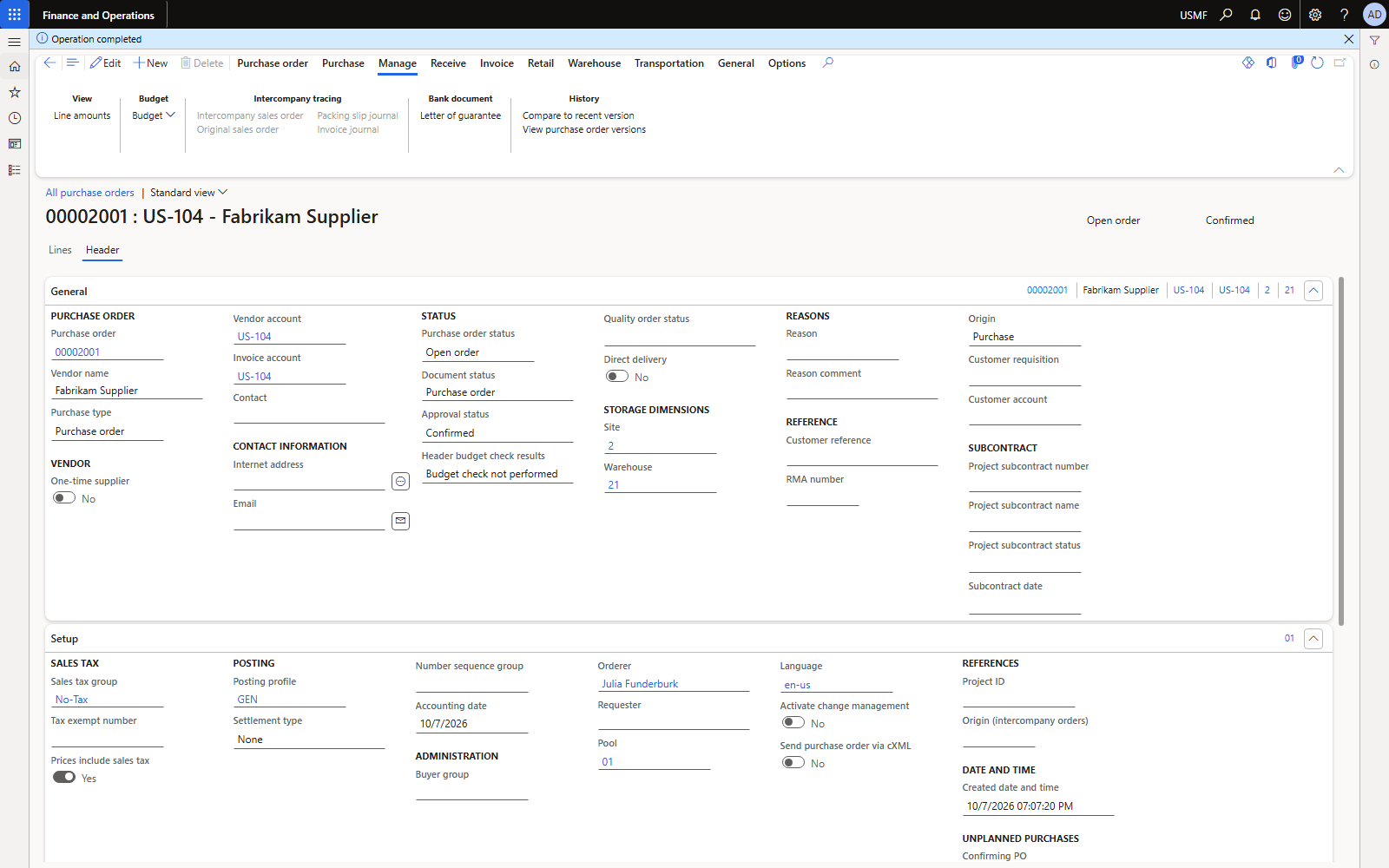
Figure 14. Confirmed PO: Manage > Bank document > Letter of guarantee.
4.2 Request (purchaser)
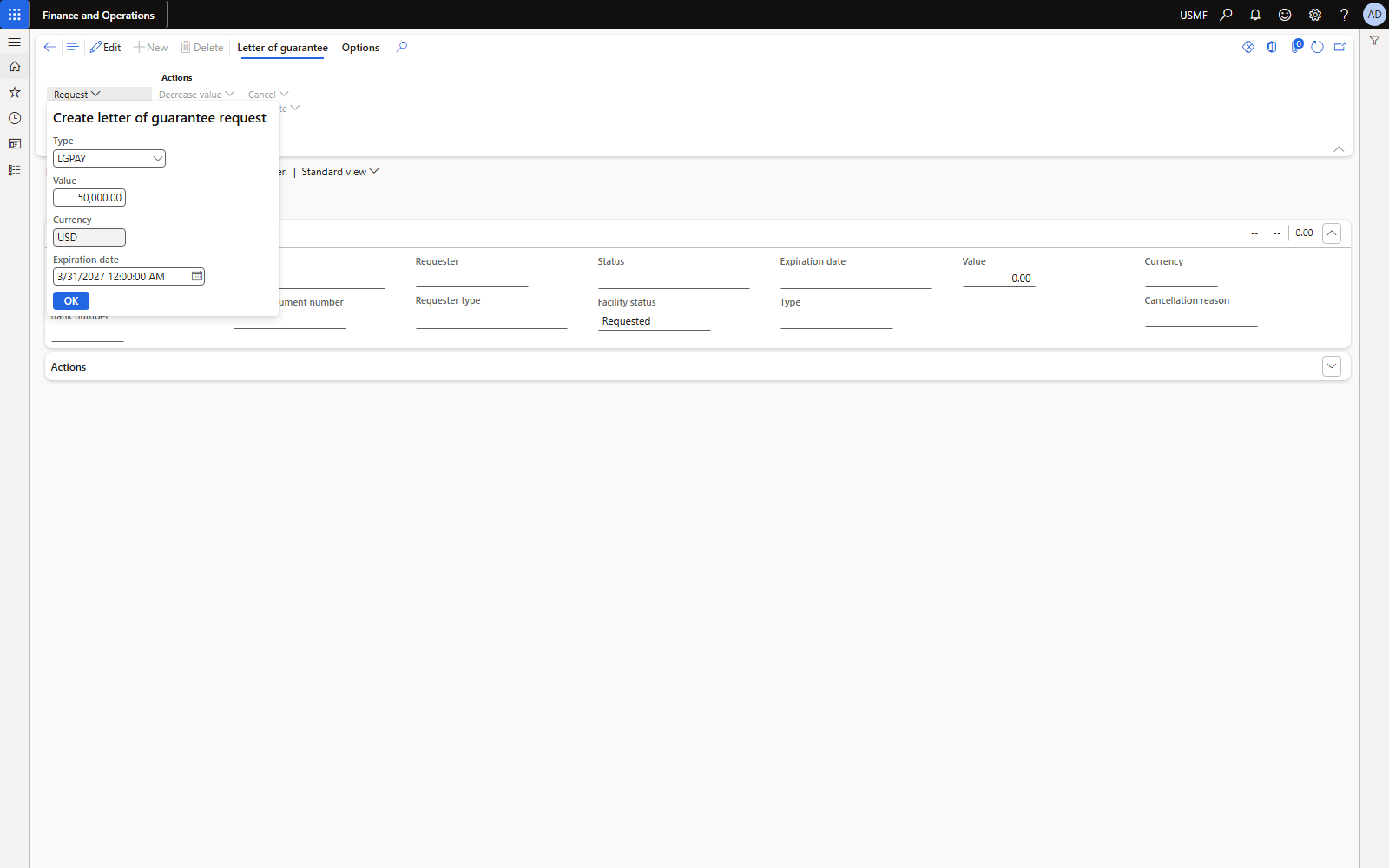
Figure 15. Request: type LGPAY, value 50,000, expiration 31 Mar 2027.
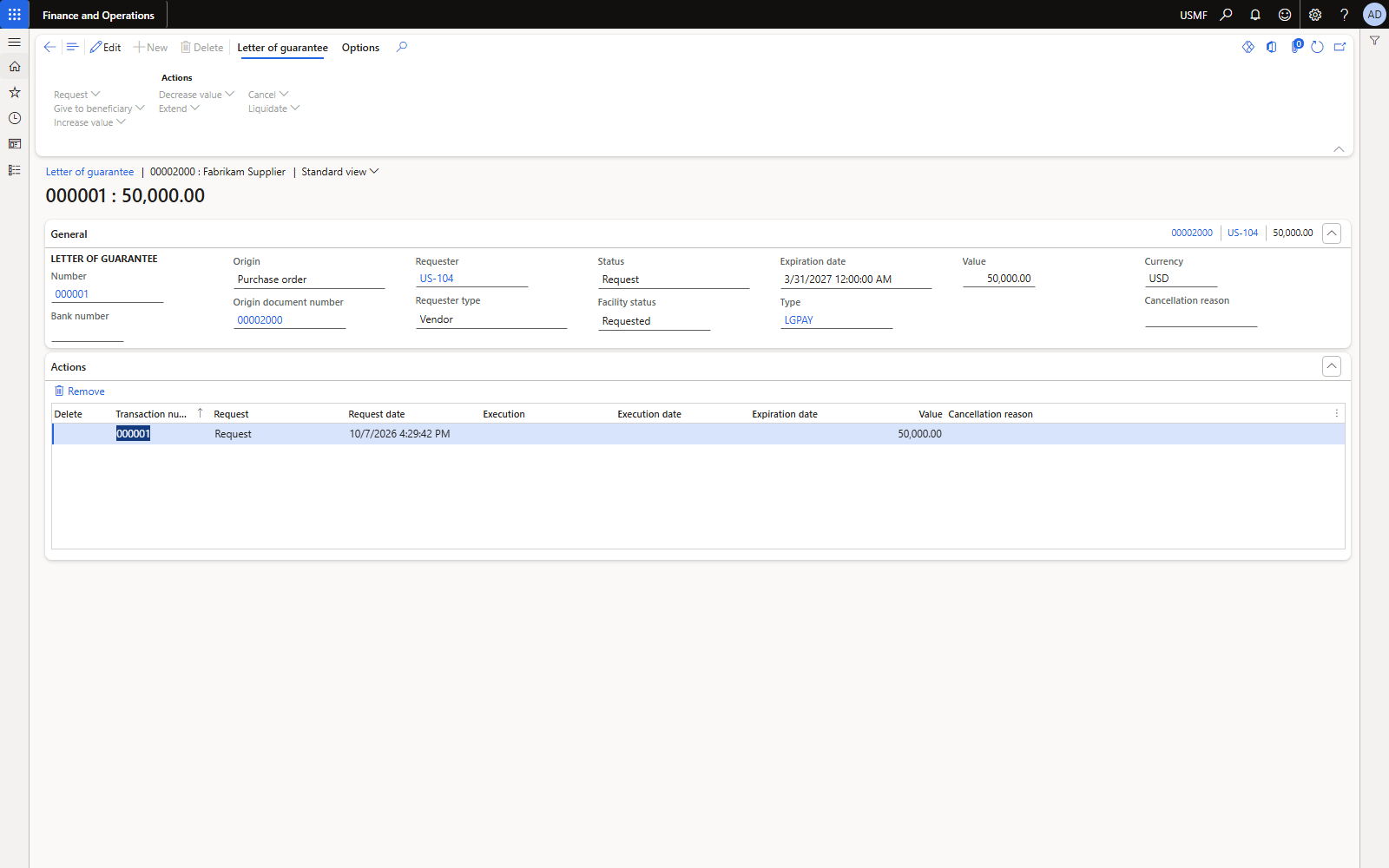
Figure 16. LG 000001 created: status Request, facility status Requested, requester US-104.
4.3 Submit to bank (treasurer)
Pick the facility through the Facility type lookup — it fills bank account and agreement. Typing the value is not enough; the agreement field stays empty and the action fails with “Field 'Facility agreement' must be filled in”.
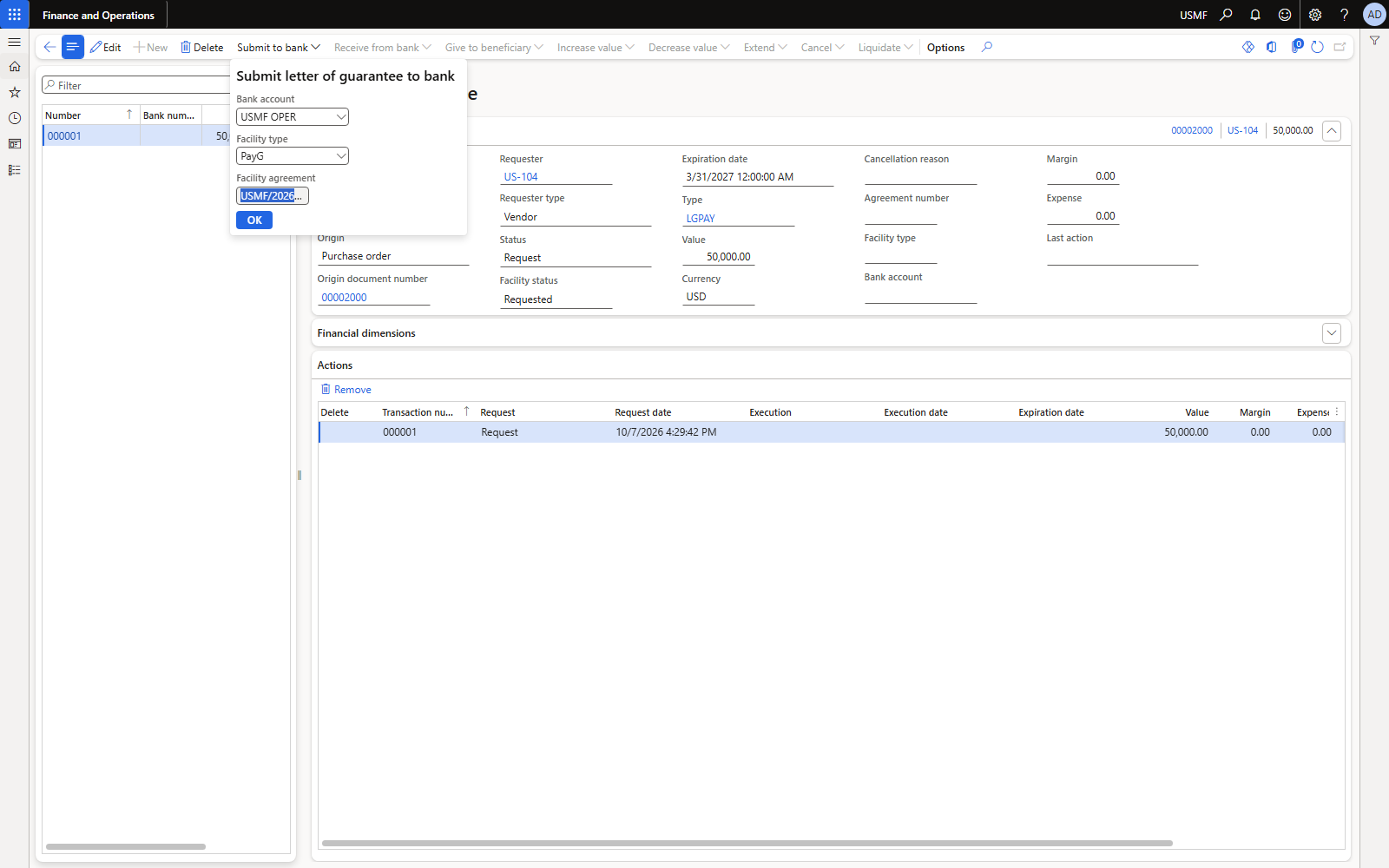
Figure 17. Submit to bank: agreement USMF/2026/LG01, facility type PayG, bank USMF OPER.
4.4 Receive from bank (treasurer) — first posting
D365 proposes margin 10% × 50,000 = 5,000 and issuance commission 1% = 500 (both can be overwritten with the bank's actual figures). Enter the bank's LG number.
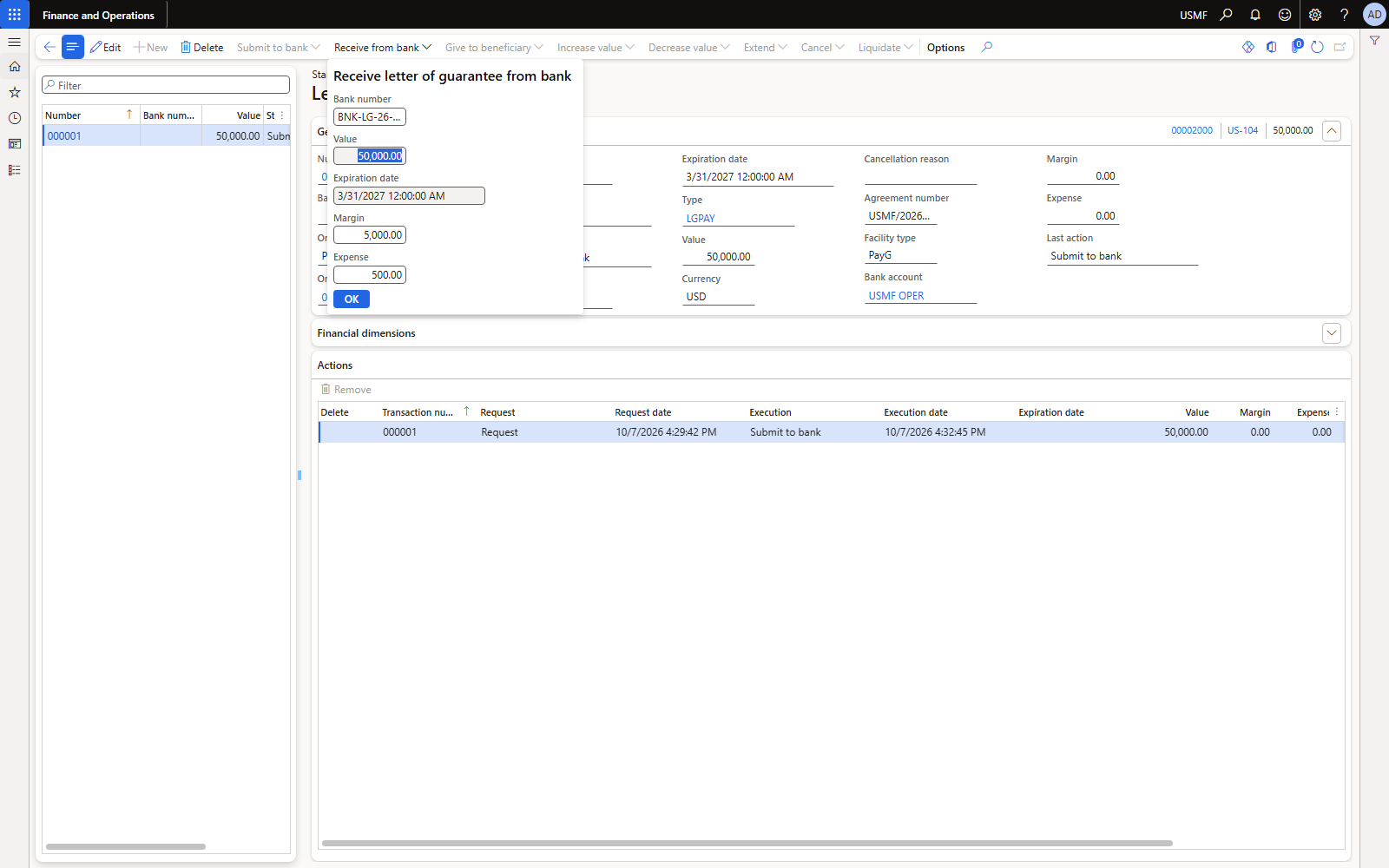
Figure 18. Receive from bank: bank number BNK-LG-26-0001, margin 5,000, expense 500.
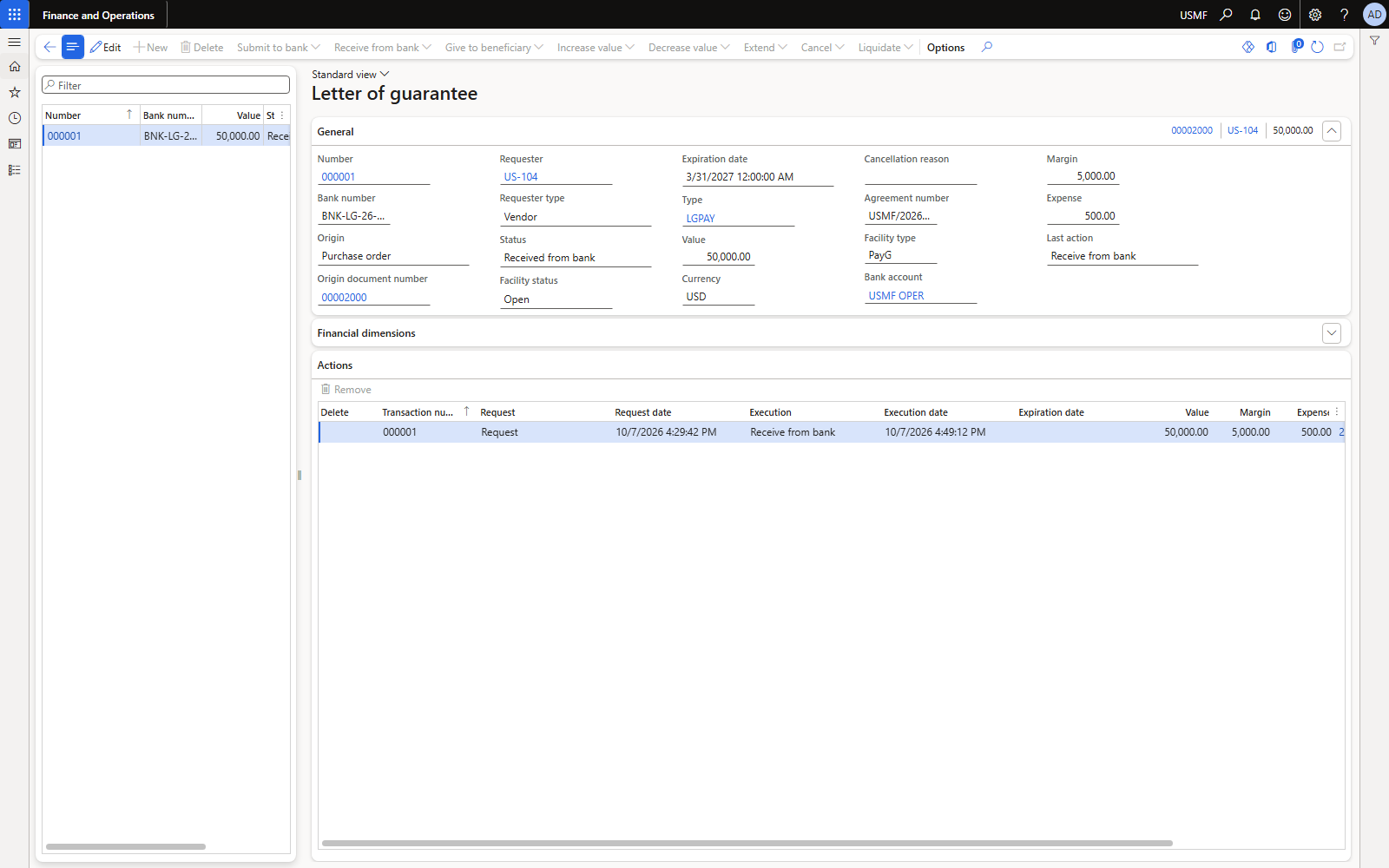
Figure 19. Status Received from bank, facility Open, margin 5,000, expense 500, journal 25323.
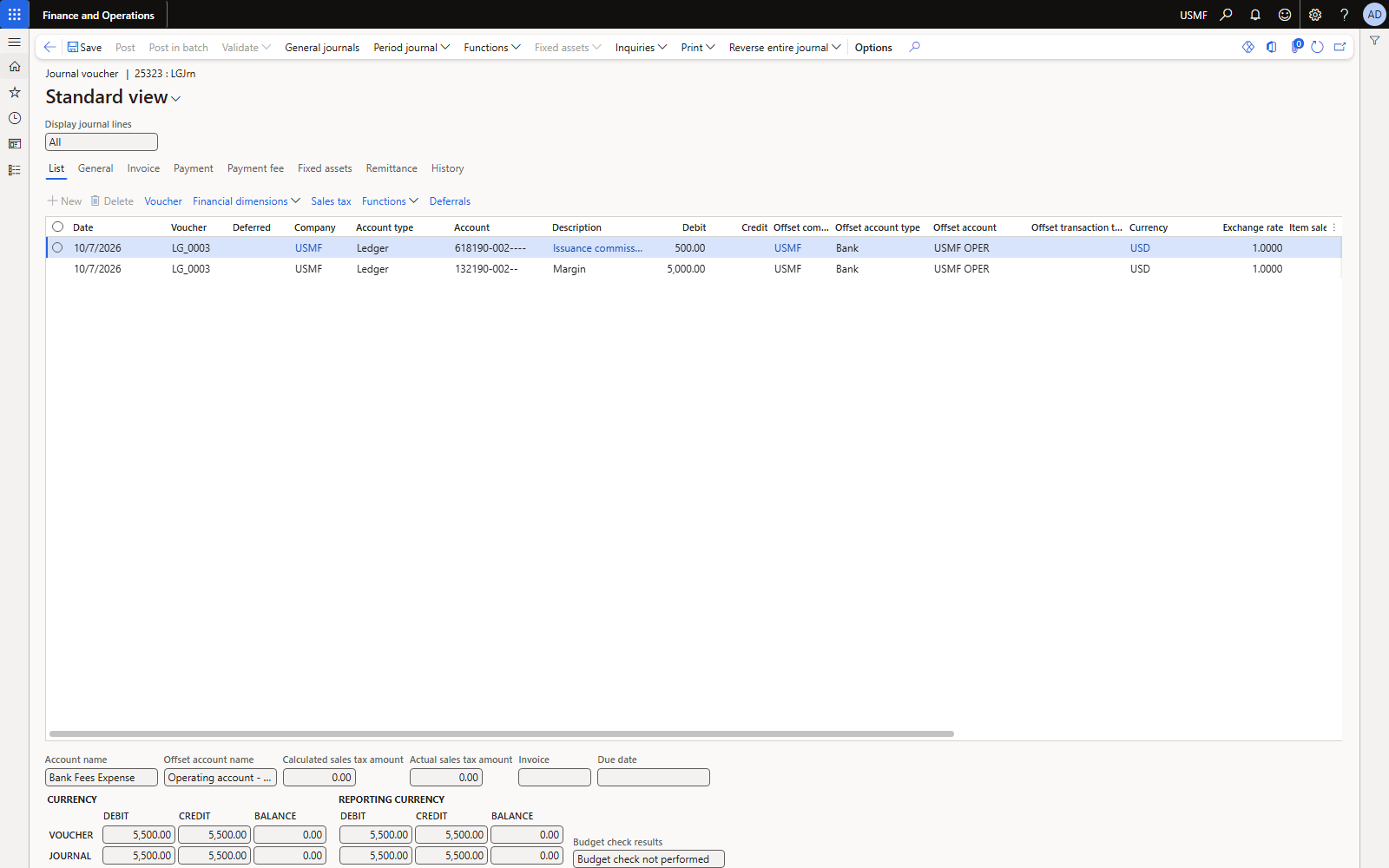
Figure 20. Journal 25323 (LGJrn), voucher LG_0003: both lines offset to bank USMF OPER.
| Account | Name | Debit | Credit |
|---|---|---|---|
| 618190 | Bank fees expense — issuance commission | 500.00 | |
| 132190 | LG cash margin | 5,000.00 | |
| 110110 | Bank USMF OPER | 5,500.00 |
Voucher LG_0003. Facility USMF/2026/LG01 amount used: 50,000. The 50,000 guarantee itself is not posted.
4.5 Give to beneficiary
Purchaser requests it, treasurer executes it (no posting). From now on the other actions are available.
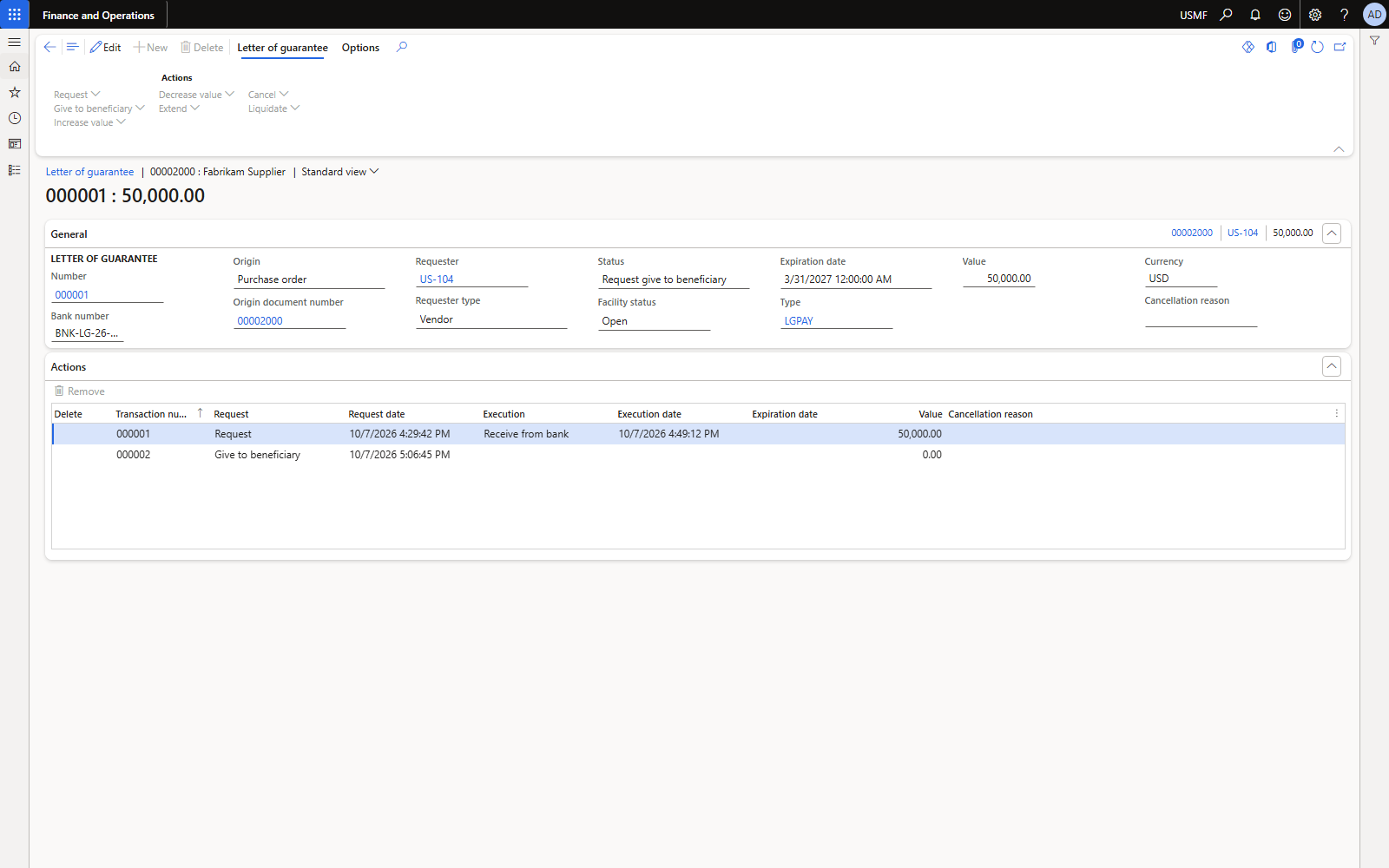
Figure 21. Status Request give to beneficiary (purchaser side).
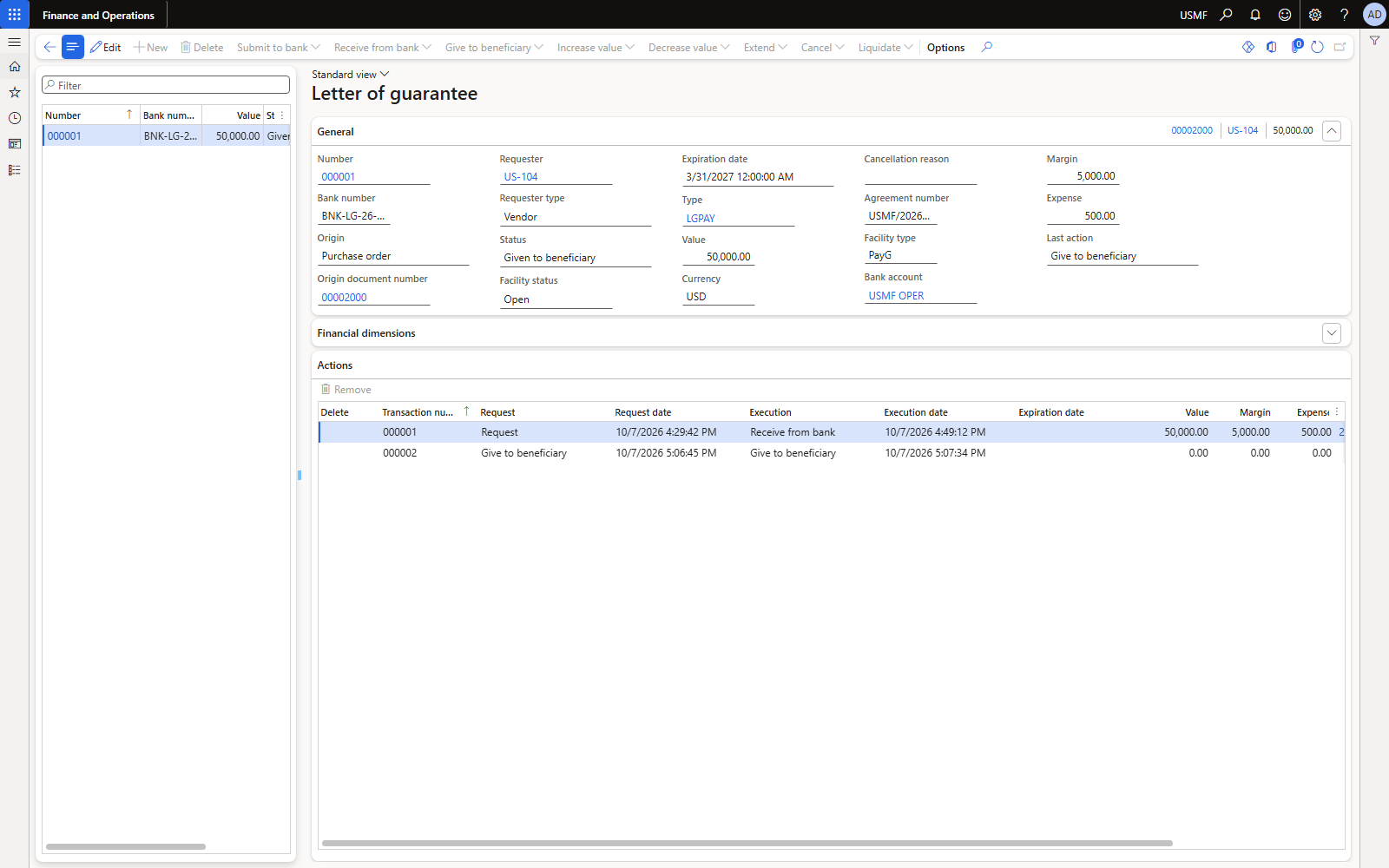
Figure 22. Status Given to beneficiary (treasury).
4.6 Increase value by 10,000
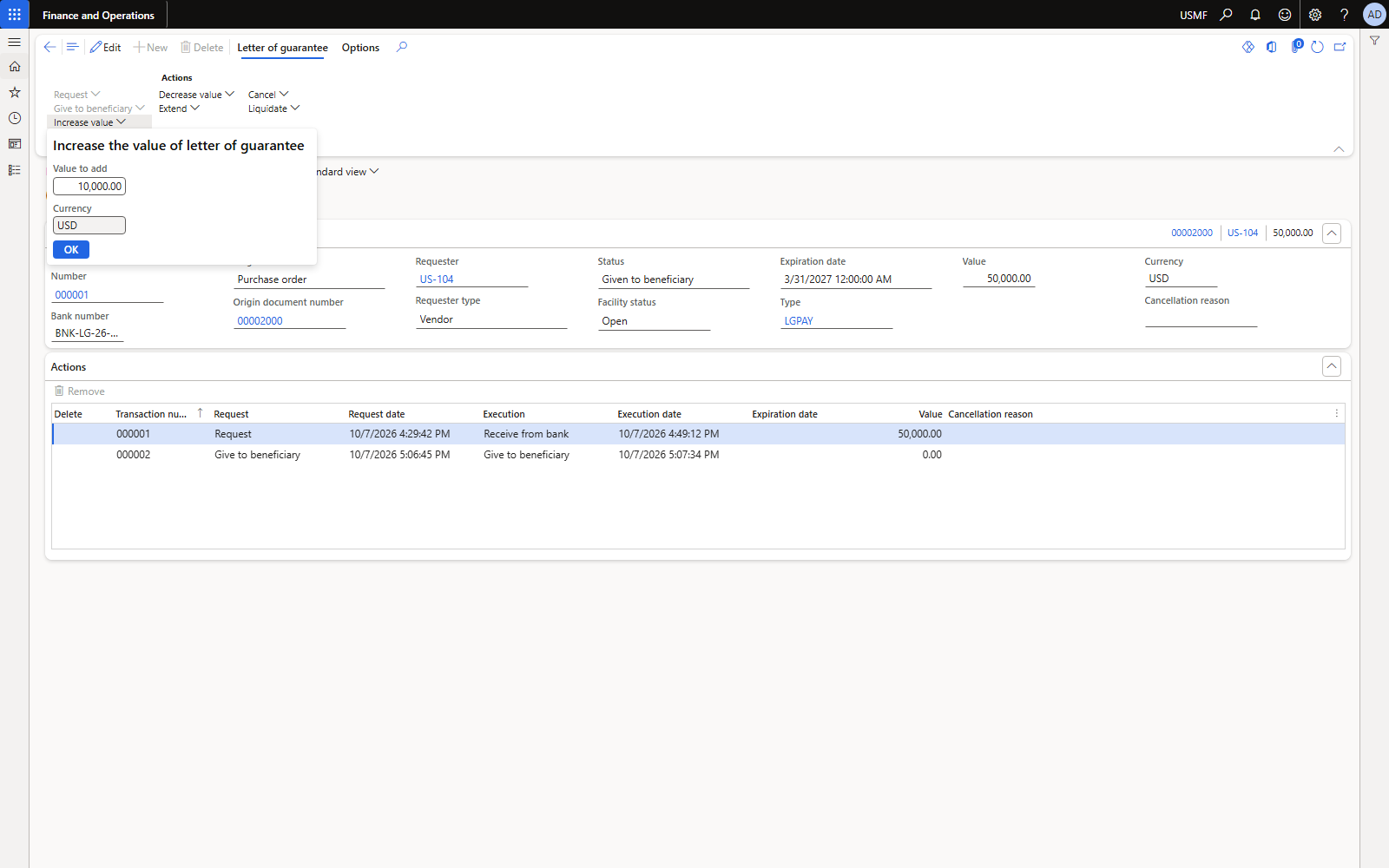
Figure 23. Request increase: value to add 10,000.
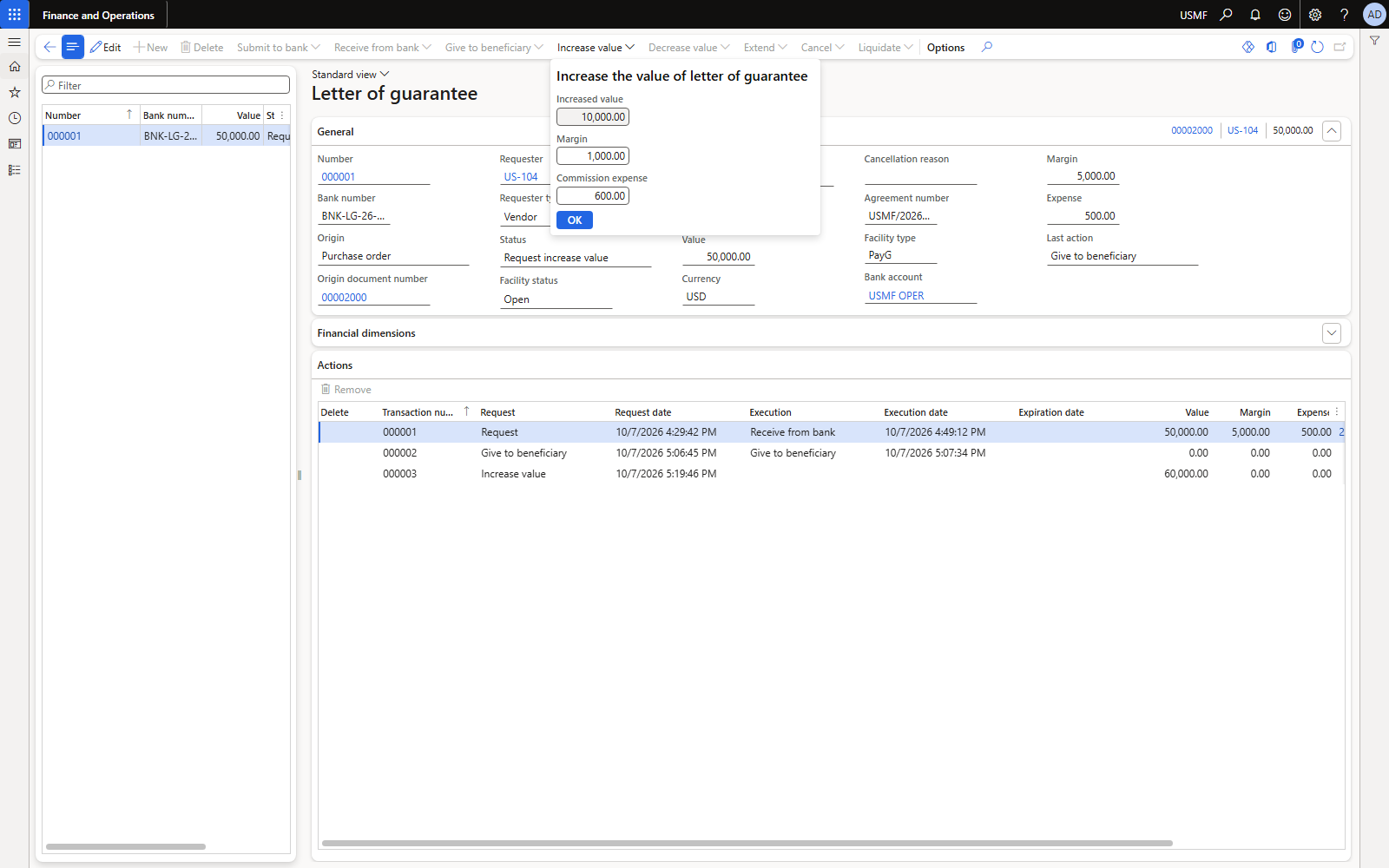
Figure 24. Execute: margin 1,000 (10% of 10,000) and commission 600.
Observed: the increase commission was 600 = 1% of the new total 60,000, not of the 10,000 added. Check this against your bank's tariff and overwrite the amount in the dialog if the bank charges on the increment.
| Account | Name | Debit | Credit |
|---|---|---|---|
| 618190 | Increase value commission | 600.00 | |
| 132190 | LG cash margin | 1,000.00 | |
| 110110 | Bank USMF OPER | 1,600.00 |
Voucher LG_0004. LG value 60,000; facility used 60,000.
4.7 Extend to 30 Jun 2027
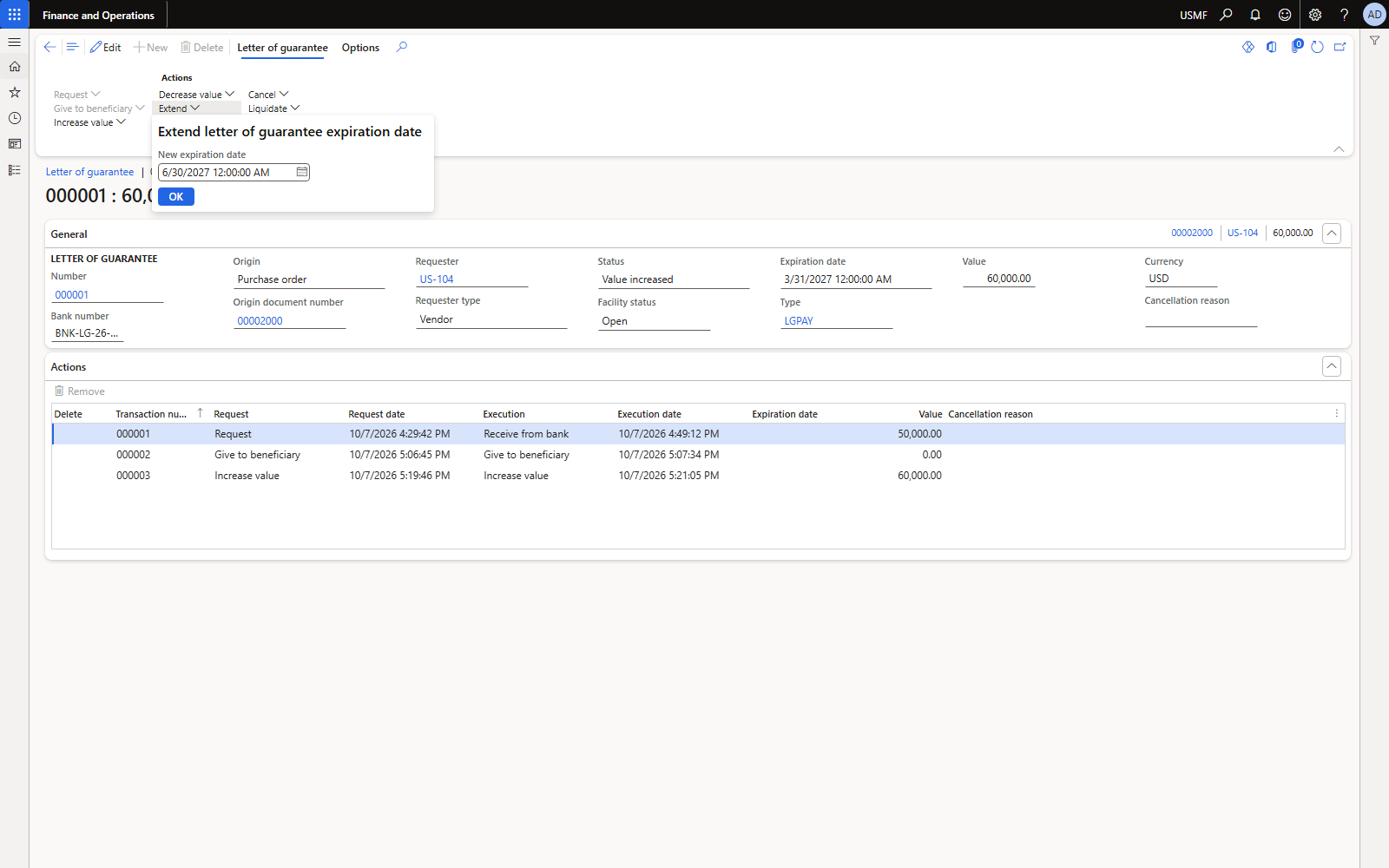
Figure 25. Request extend: new expiration date.
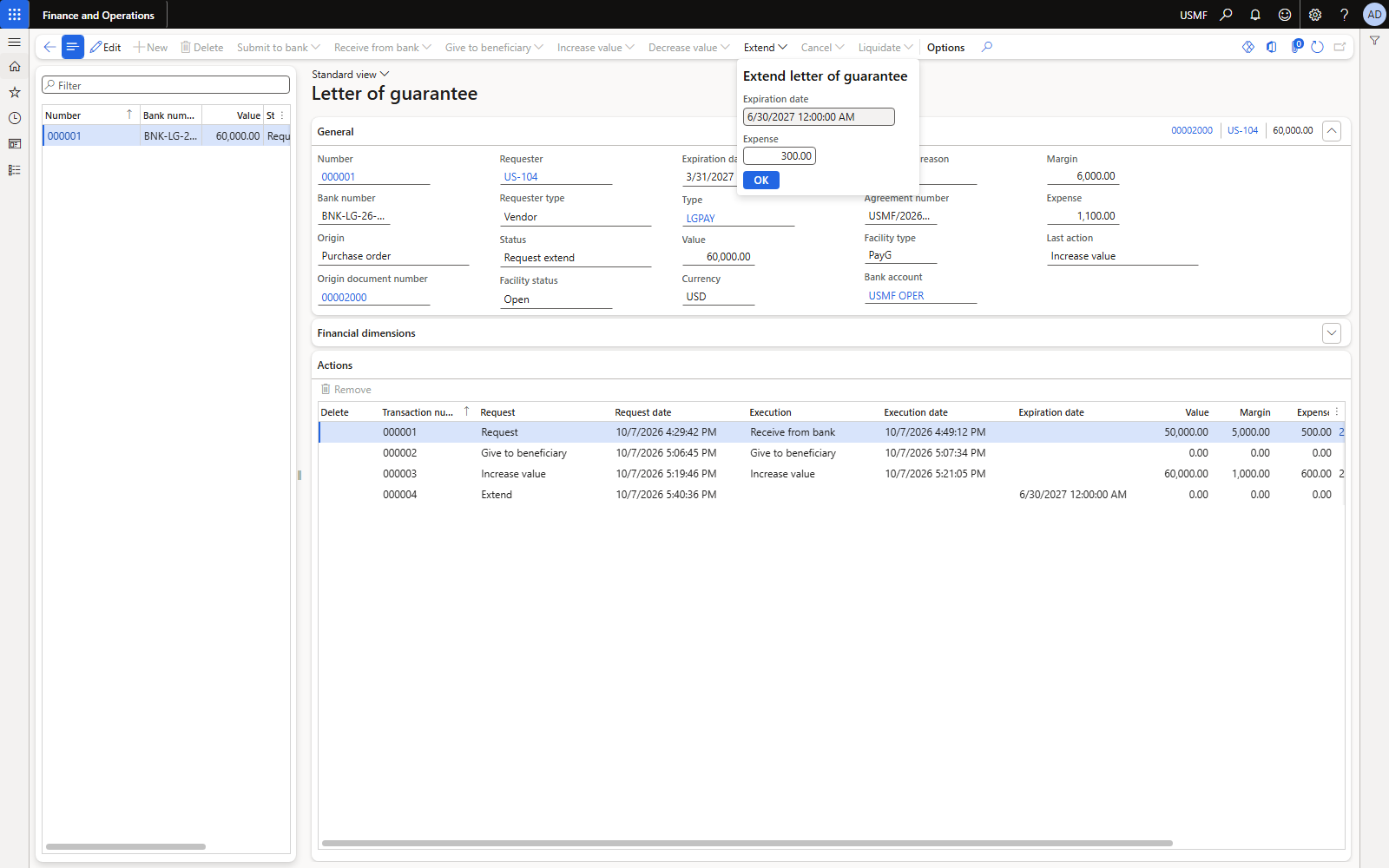
Figure 26. Execute: extension commission 300 (0.5% of 60,000).
| Account | Name | Debit | Credit |
|---|---|---|---|
| 618190 | Extension commission | 300.00 | |
| 110110 | Bank USMF OPER | 300.00 |
Voucher LG_0005.
4.8 Decrease value by 10,000
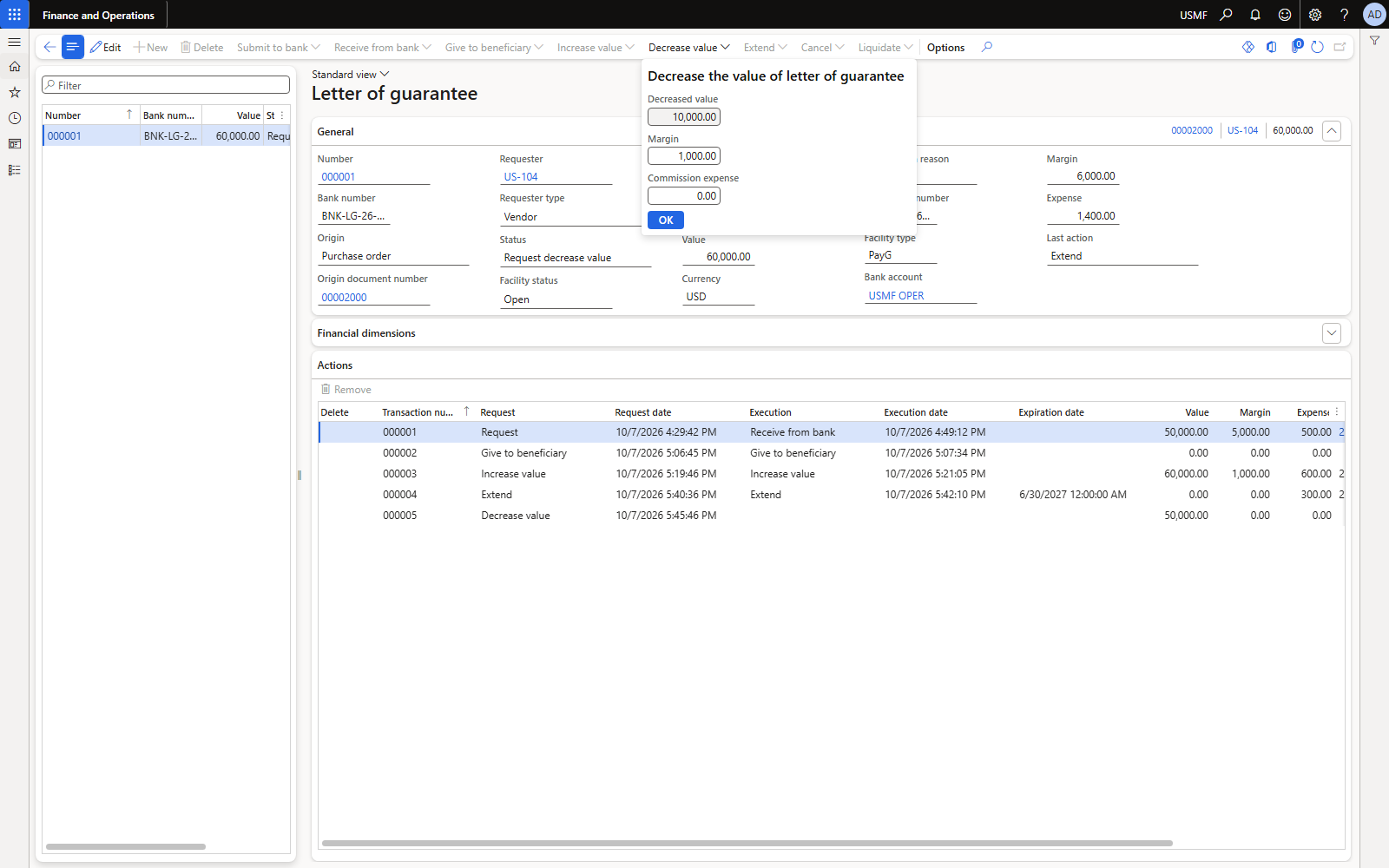
Figure 27. Execute decrease: margin 1,000 released, commission 0.
| Account | Name | Debit | Credit |
|---|---|---|---|
| 110110 | Bank USMF OPER | 1,000.00 | |
| 132190 | LG cash margin | 1,000.00 |
Voucher LG_0006. LG value back to 50,000; facility used 50,000.
5. Liquidation and settling the vendor invoice
The goods arrive, the invoice is posted, we do not pay at due date, and the vendor claims the guarantee.
5.1 Product receipt and vendor invoice (normal AP)
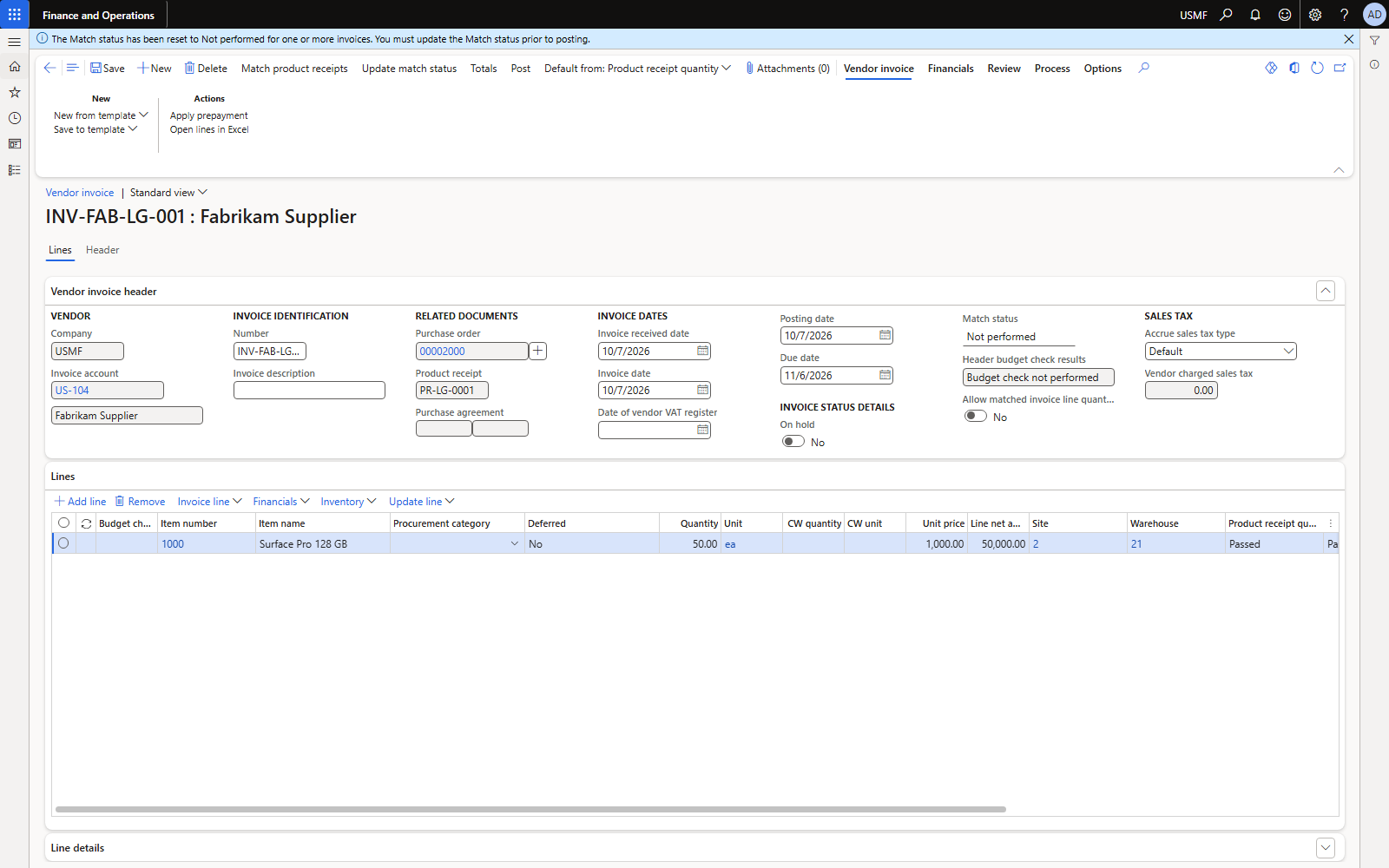
Figure 28. Vendor invoice INV-FAB-LG-001 for 50,000 (run Update match status before posting).
| Account | Name | Debit | Credit |
|---|---|---|---|
| Inventory / receipt accrual | per item posting | 50,000.00 | |
| 200100 | Accounts payable (vendor US-104) | 50,000.00 |
Voucher PIV-110001001. The vendor balance is open.
5.2 Liquidate (purchaser requests, treasurer executes)
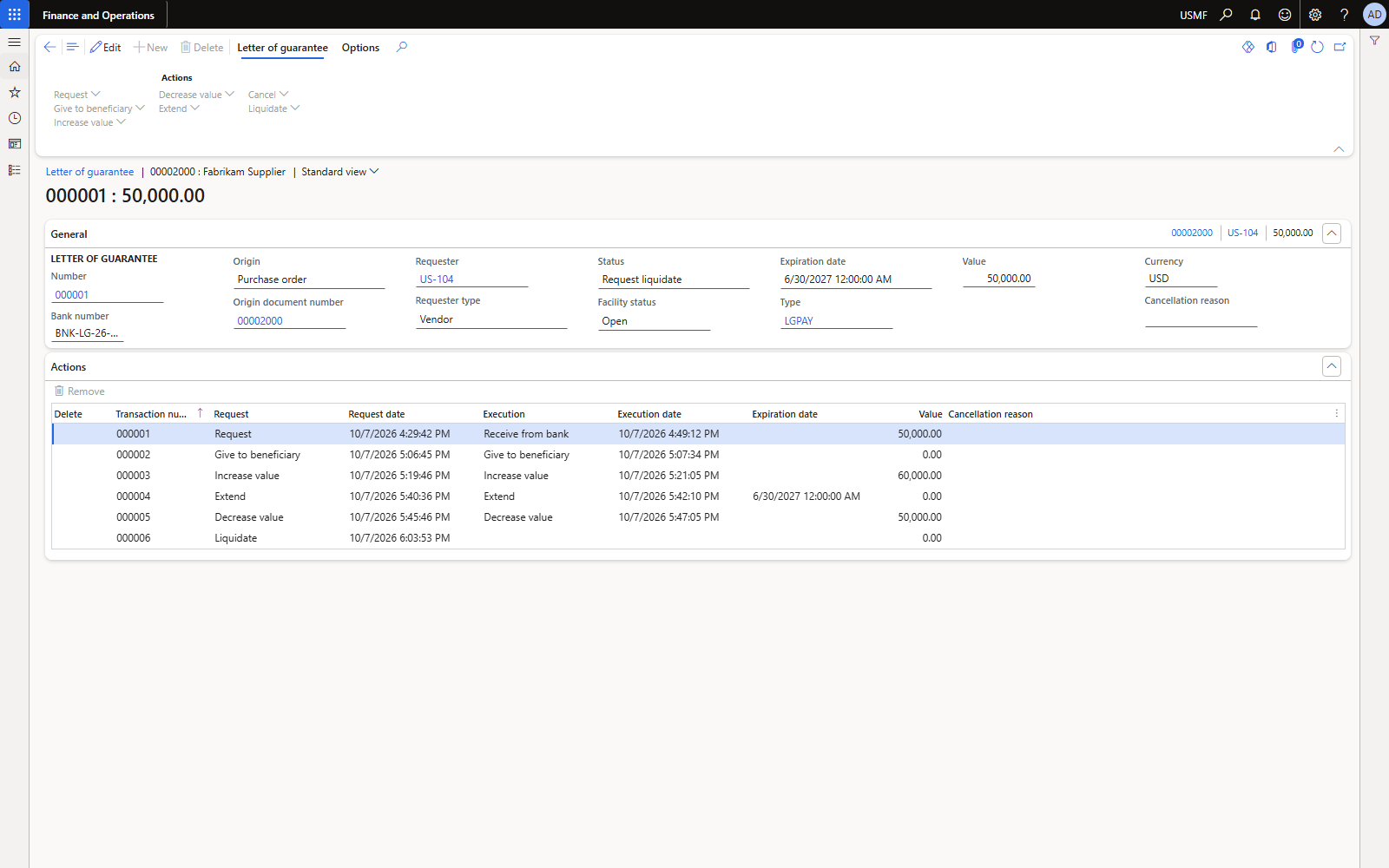
Figure 29. Status Request liquidate.
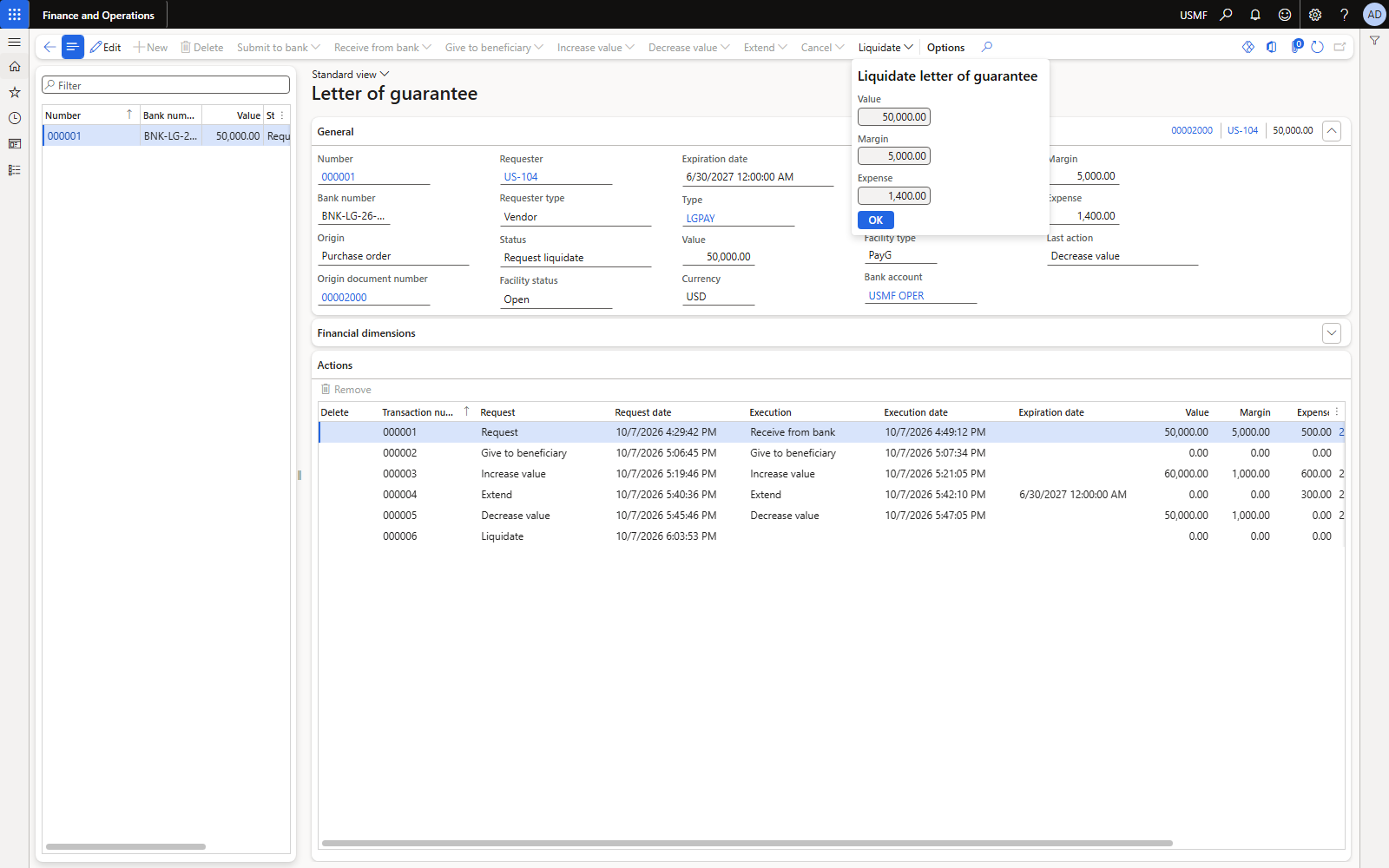
Figure 30. Execute liquidate: value 50,000, margin 5,000 comes back.
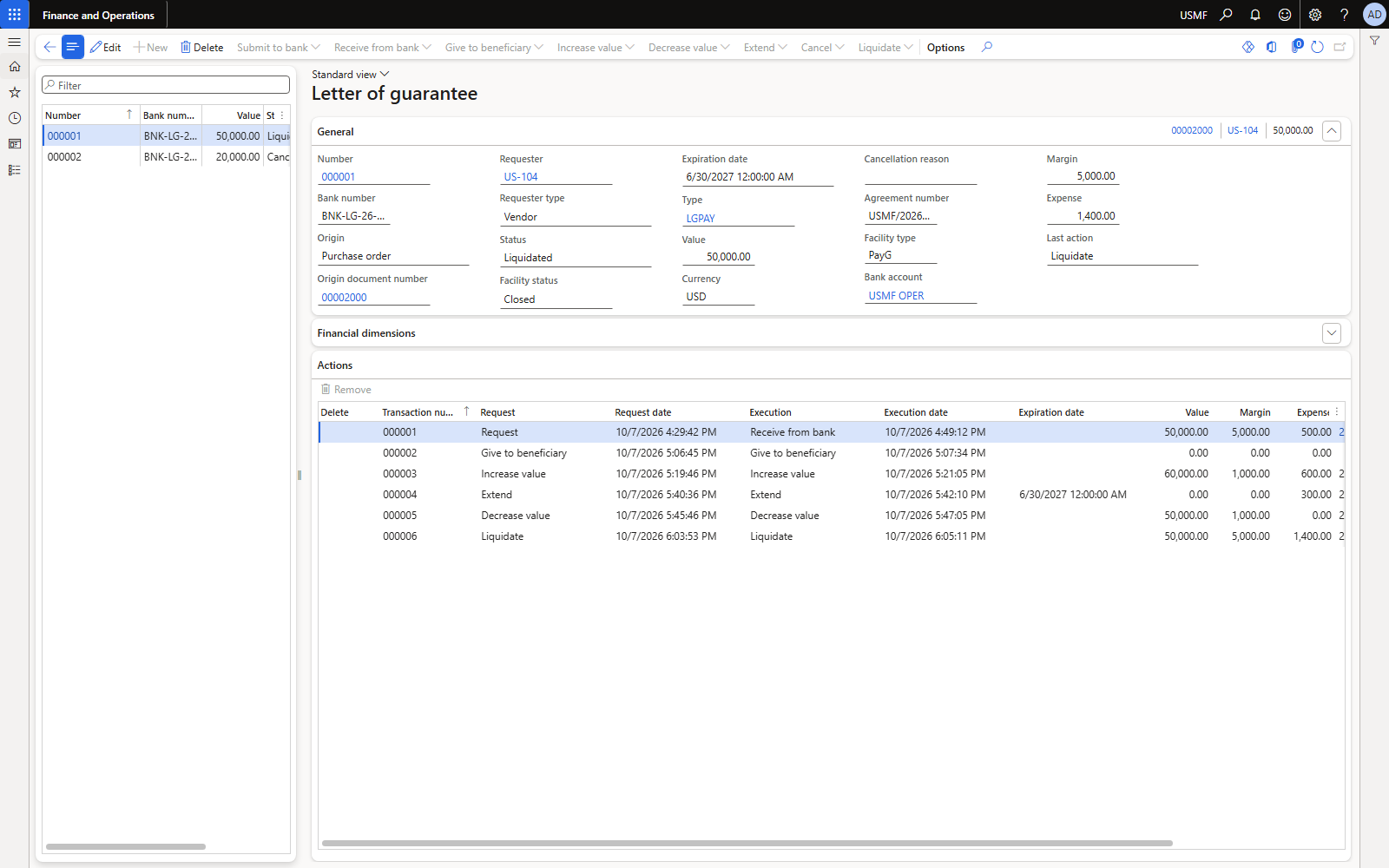
Figure 31. LG 000001: status Liquidated, facility Closed; facility used drops to 0.
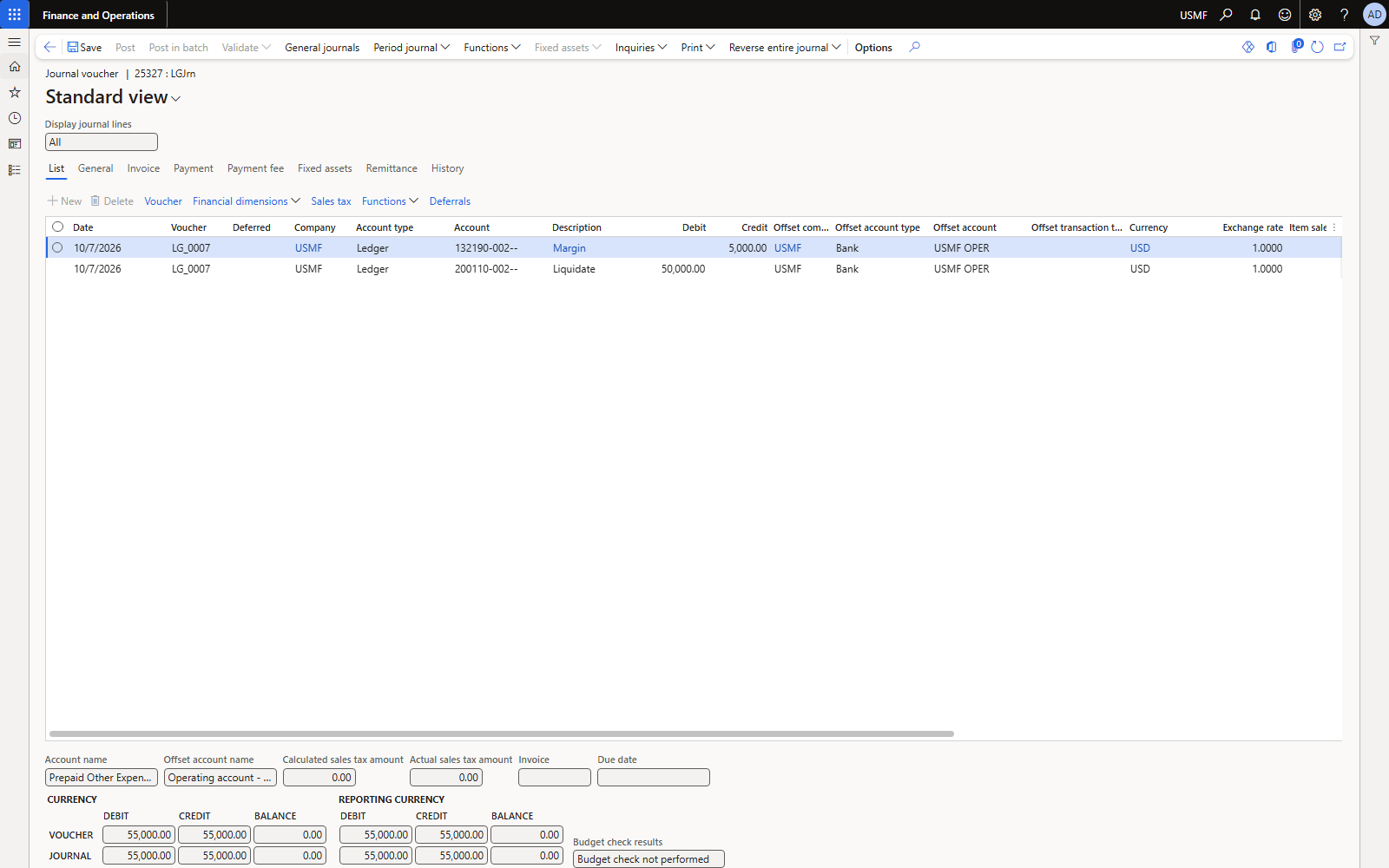
Figure 32. Journal 25327, voucher LG_0007: margin release and liquidation, both against the bank.
| Account | Name | Debit | Credit |
|---|---|---|---|
| 110110 | Bank USMF OPER — margin released | 5,000.00 | |
| 132190 | LG cash margin | 5,000.00 | |
| 200190 | LG liquidation clearing | 50,000.00 | |
| 110110 | Bank USMF OPER — bank paid the vendor | 50,000.00 |
Commercial meaning: the bank used the 5,000 margin and 45,000 of our own funds to pay the vendor 50,000. In the books the margin returns to the bank account and the full 50,000 leaves it; the debit sits on the clearing account until it is matched with the vendor invoice.
5.3 Settle the vendor invoice against the liquidation
The vendor has been paid by the bank, so the invoice must be closed without a second bank payment. Use a vendor payment journal (or general journal) line: Debit vendor, credit the liquidation clearing account, and settle the invoice.
Offset account type Ledger, offset account 200190 (the liquidation account). Method of payment blank — CHECK/ELECTRONIC require a bank offset (“Offset account must have the type bank…”, “Check number must be filled in…”). Settle transactions: mark the invoice, Use cash discount = Never (the bank paid after the discount date; a 1% discount was proposed by default).
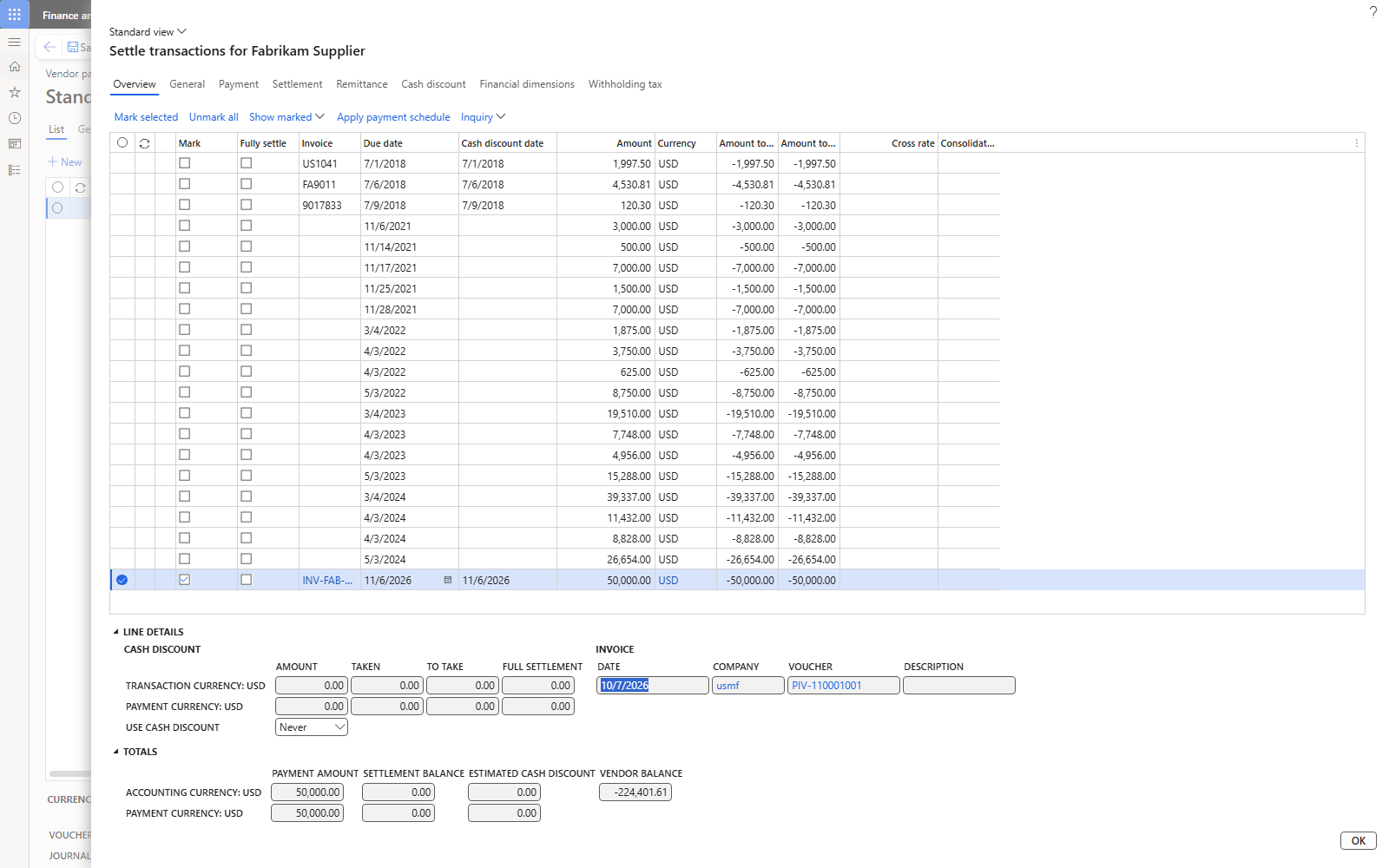
Figure 33. Settle transactions: INV-FAB-LG-001 marked, cash discount Never, settlement balance 0.
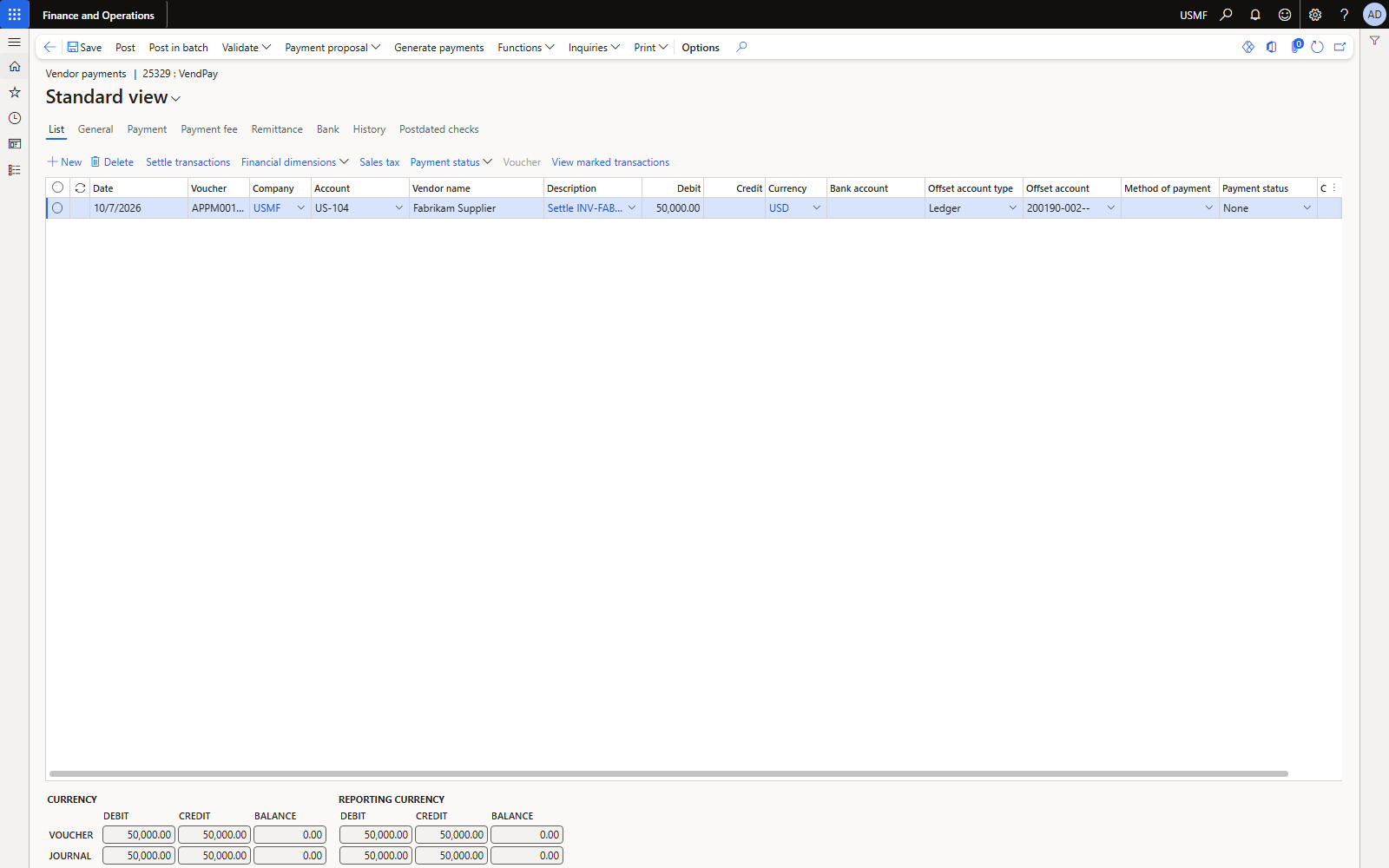
Figure 34. Payment journal 25329: Debit US-104 50,000, offset Ledger 200190.
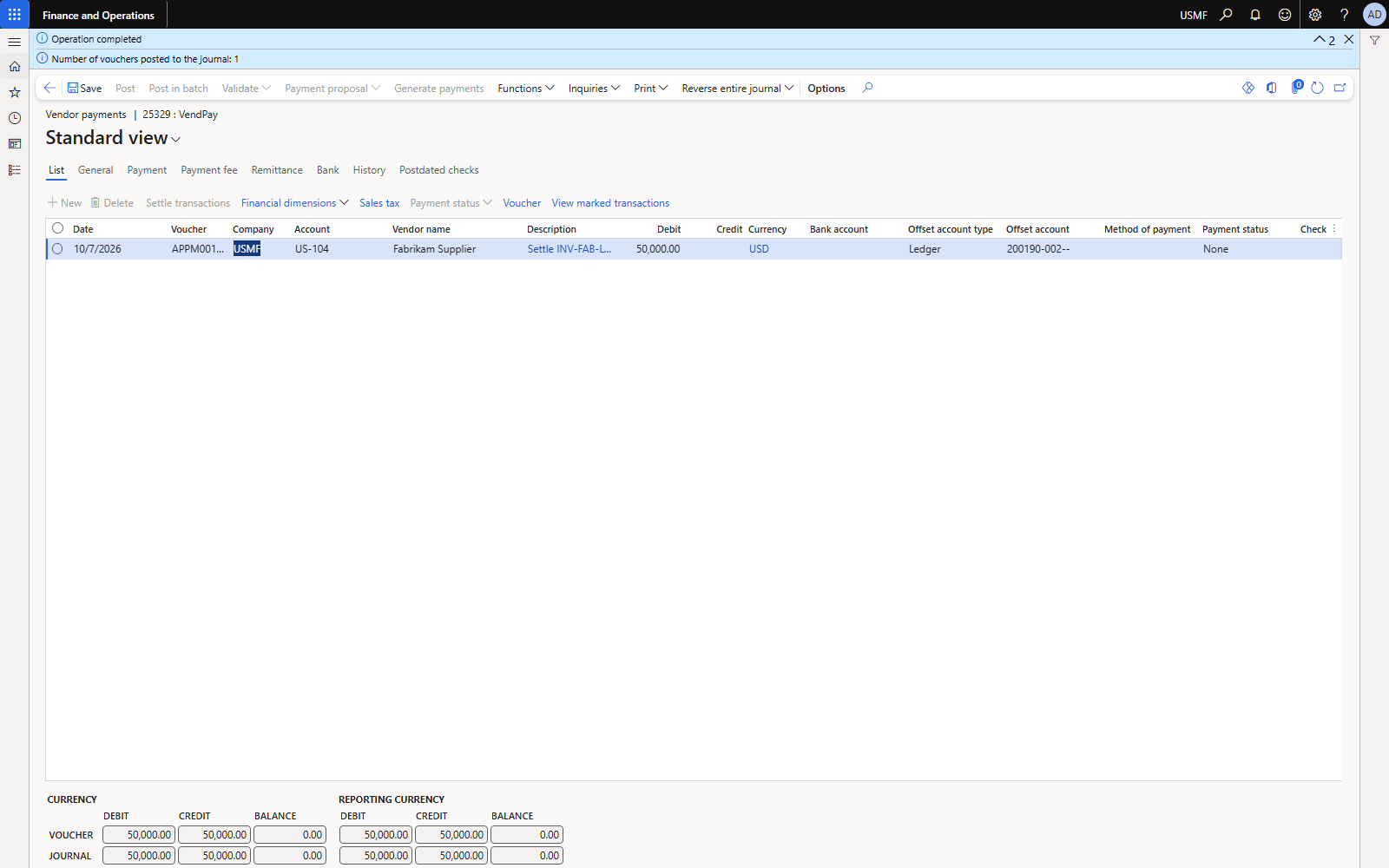
Figure 35. Posted: invoice and payment closed on 7 Oct 2026.
| Account | Name | Debit | Credit |
|---|---|---|---|
| 200100 | Accounts payable (US-104) | 50,000.00 | |
| 200190 | LG liquidation clearing | 50,000.00 |
Voucher APPM001218. VENDTRANS: invoice PIV-110001001 and payment APPM001218 both settled 50,000 and closed. Clearing account 200190 nets to zero.
5.4 If the liquidation went to the error account
Our first liquidation used 200110 (AP control, blocked for manual entry), so GL posted it to 999999. Fix with a general journal and correct the posting profile:
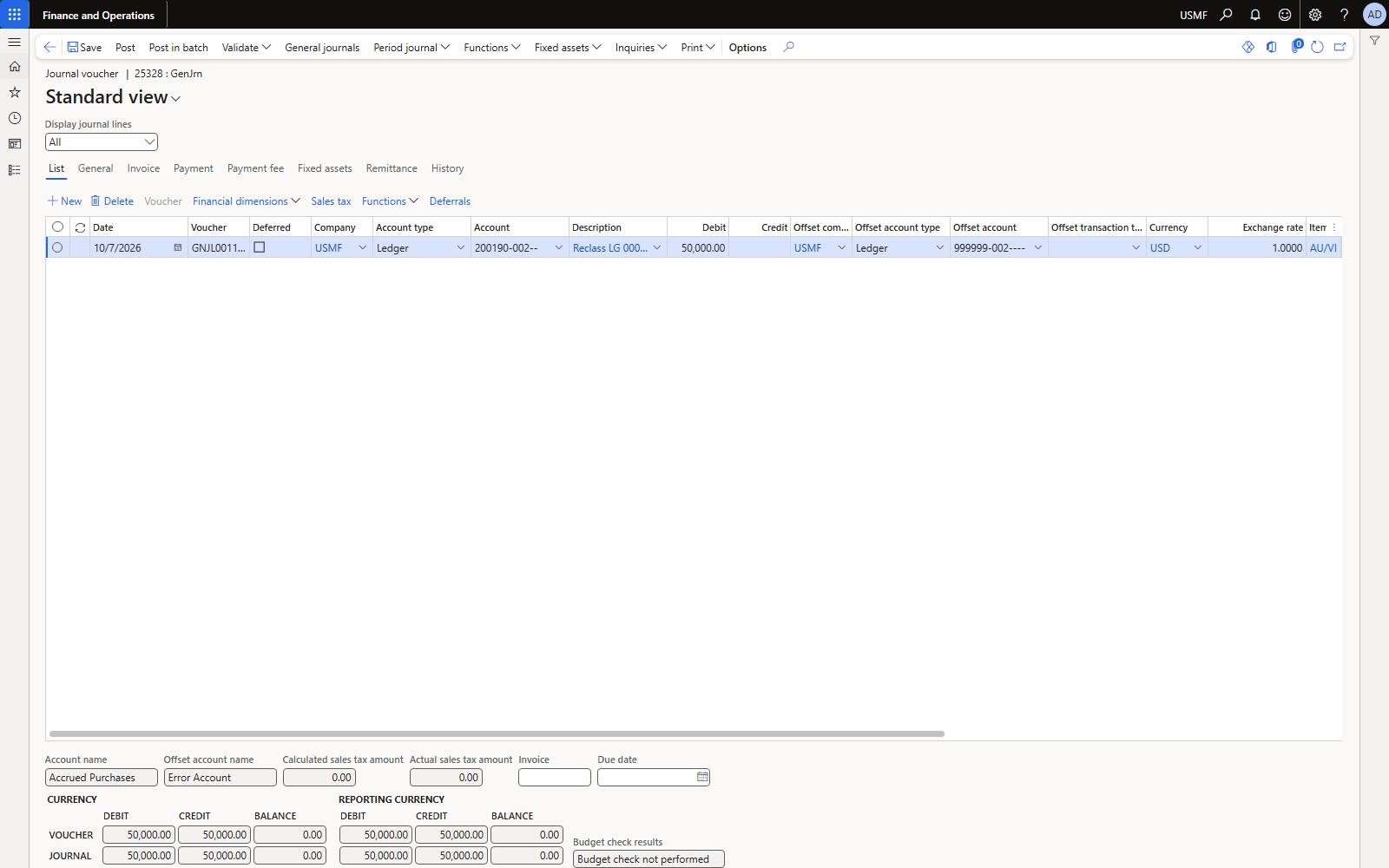
Figure 36. General journal 25328: reclass 50,000 from 999999 to 200190.
| Account | Name | Debit | Credit |
|---|---|---|---|
| 200190 | LG liquidation clearing | 50,000.00 | |
| 999999 | Error account | 50,000.00 |
Voucher GNJL001103.
5.5 If the invoice was already paid normally
If AP had already paid the vendor and the bank also paid under the guarantee, the vendor was paid twice: keep the 50,000 on the clearing account, raise a debit note / claim on the vendor (Dr vendor, Cr clearing) and settle the vendor refund against it.
6. Worked example 2 — LG 000002 cancelled
PO 00002001 (20 × 1,000 = 20,000) with an LG of 20,000 expiring 31 Dec 2026. The deal no longer needs the guarantee; the vendor returns the original.
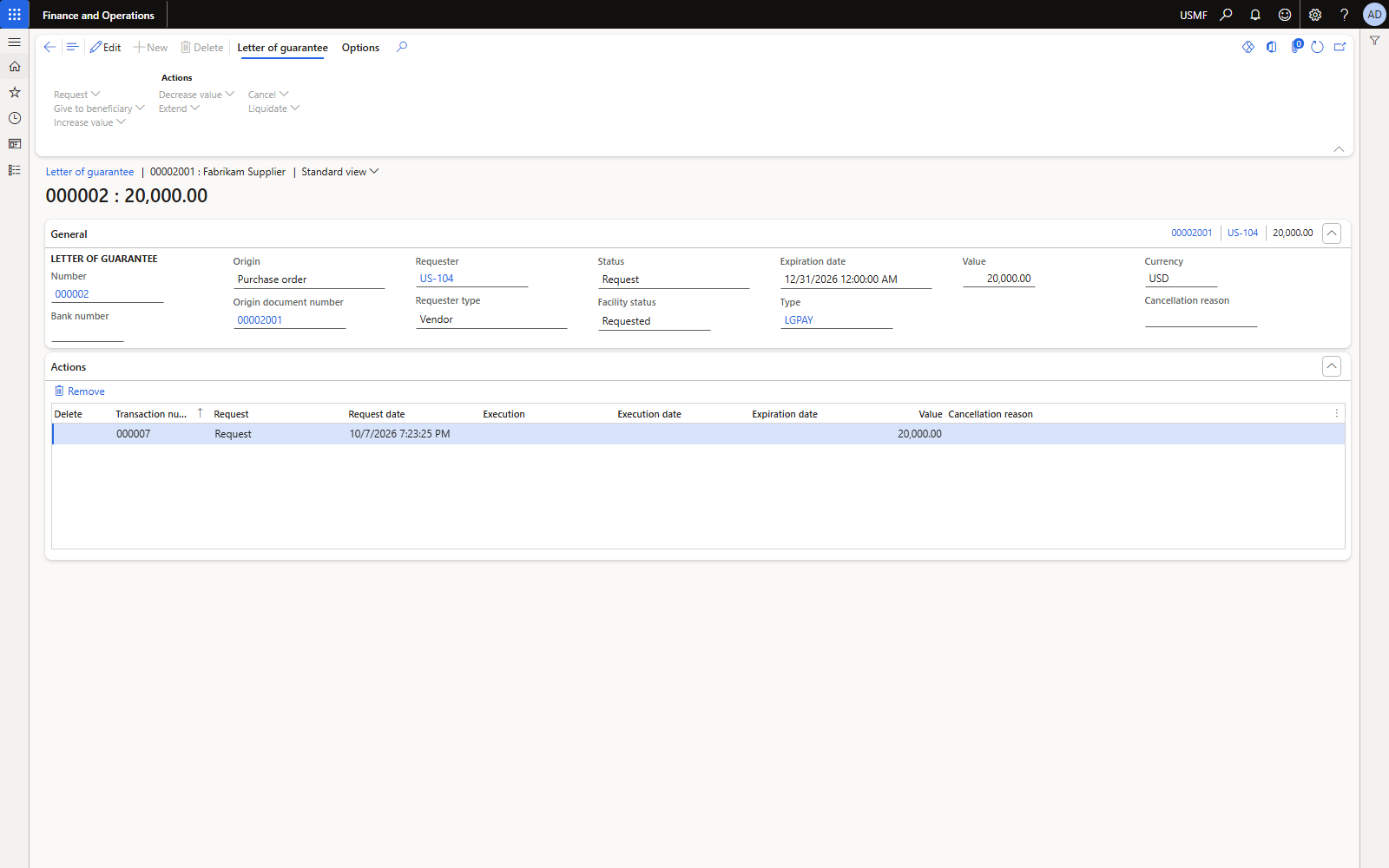
Figure 37. LG 000002 requested from PO 00002001.
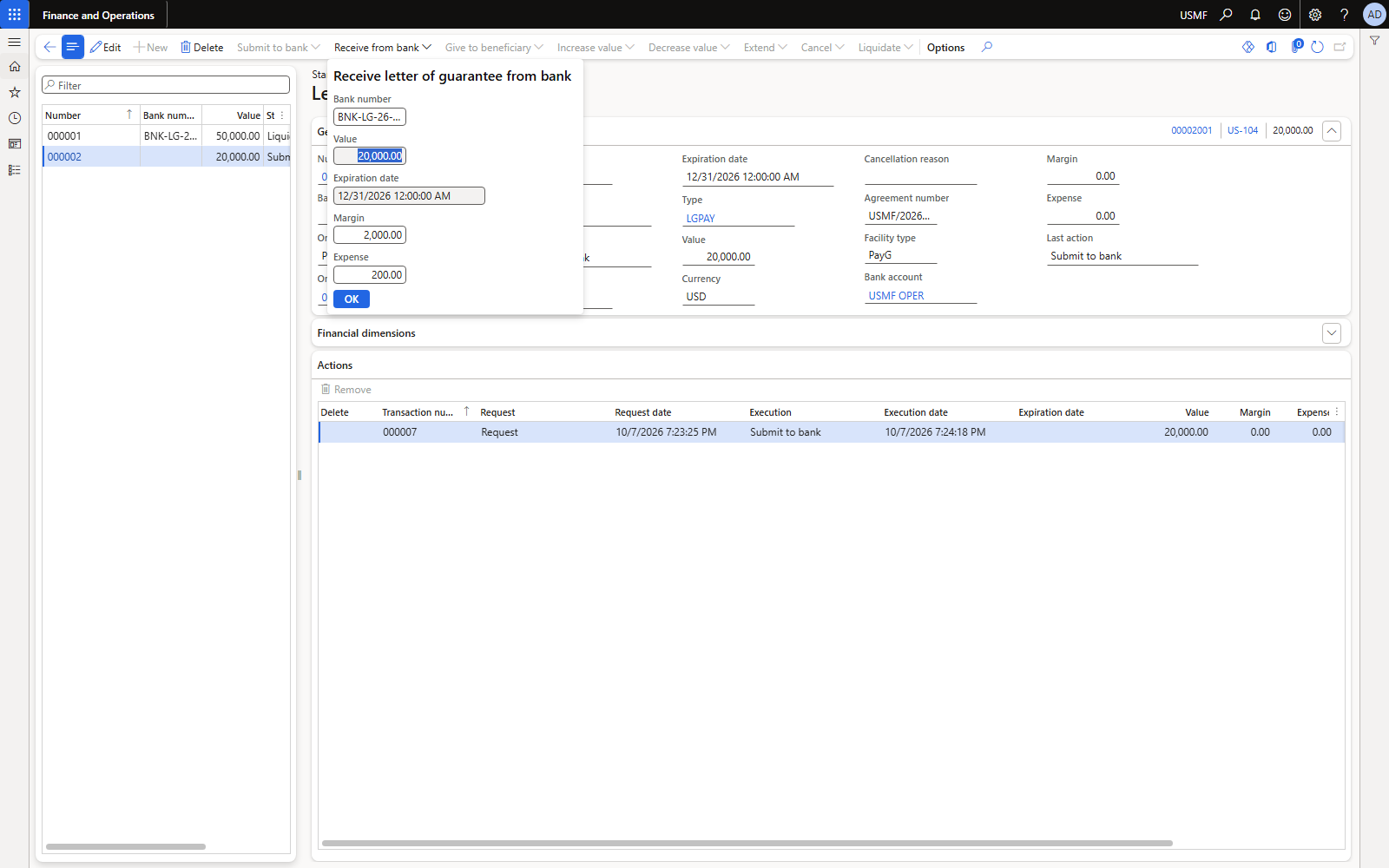
Figure 38. Received from bank: margin 2,000, issuance commission 200.
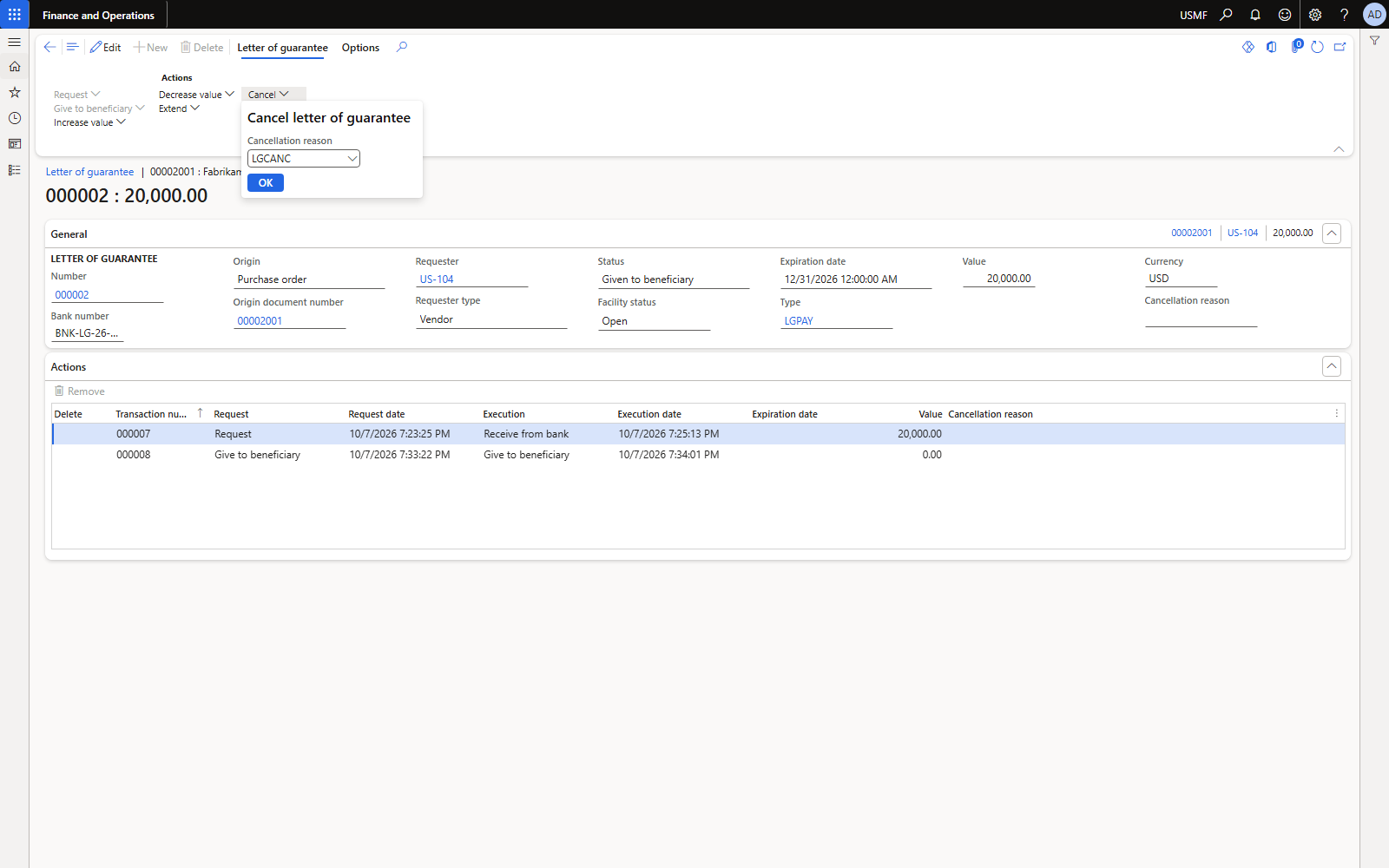
Figure 39. Request cancel with cancellation reason LGCANC (after give to beneficiary).
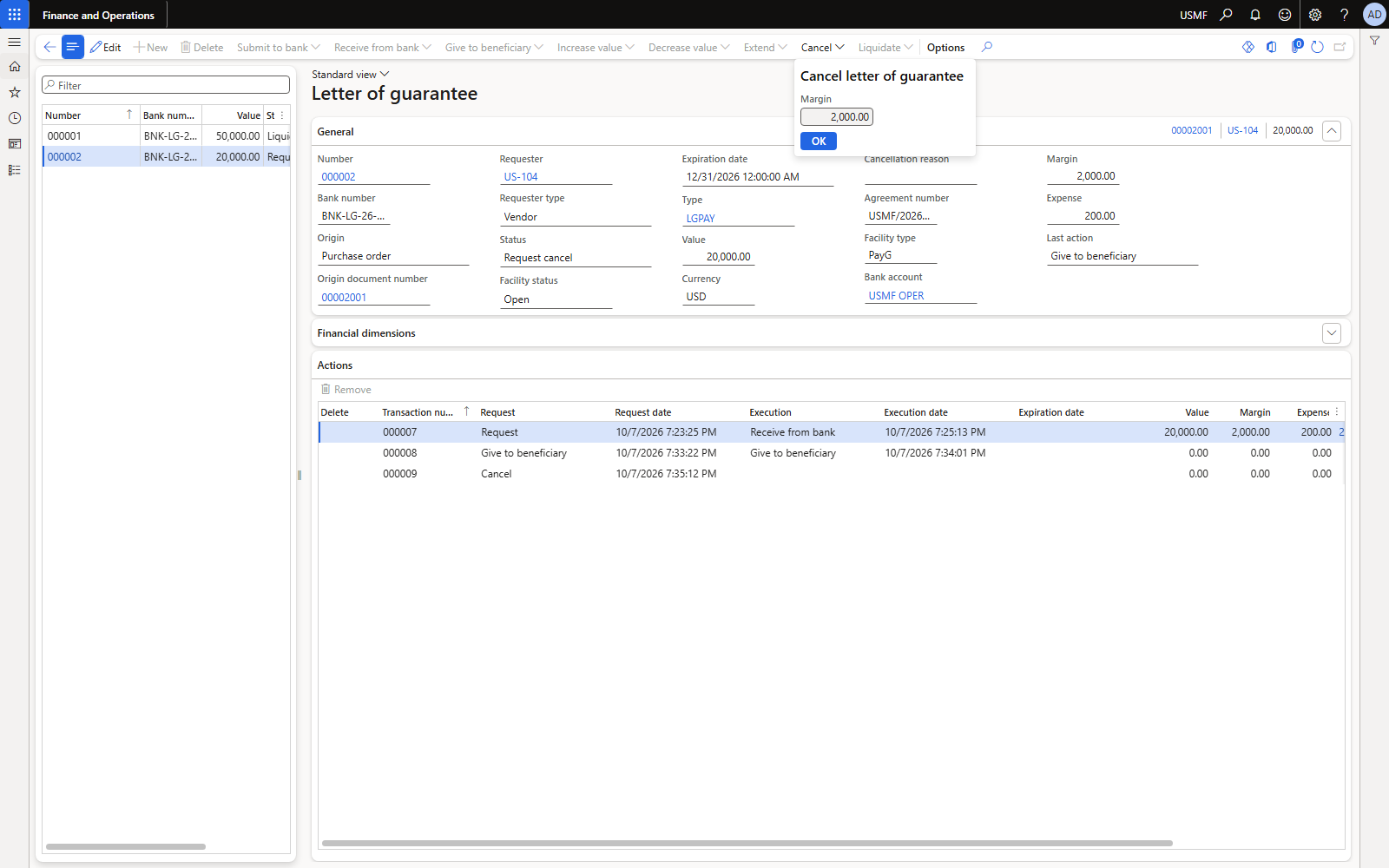
Figure 40. Execute cancel: margin 2,000 comes back.
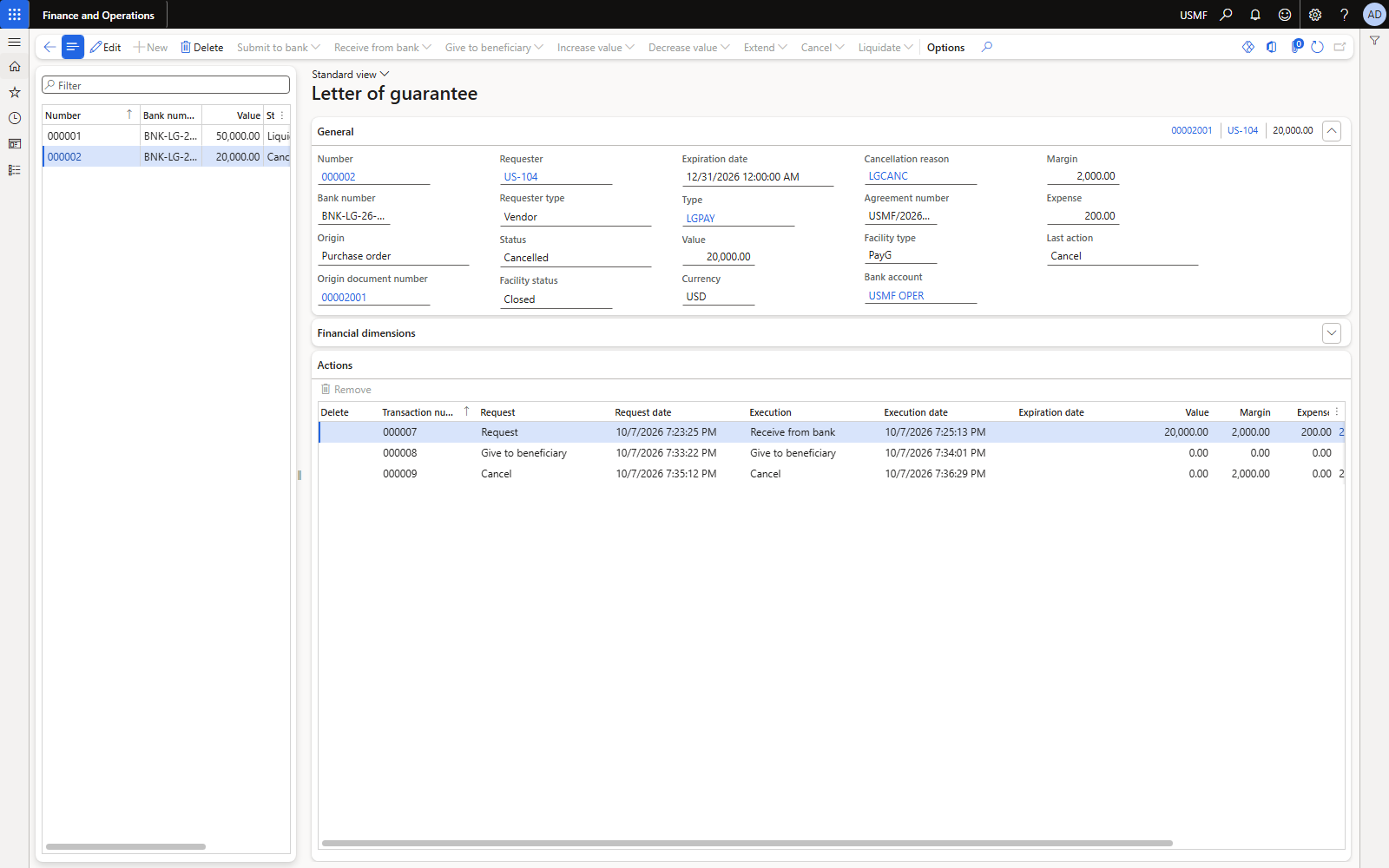
Figure 41. LG 000002: status Cancelled, facility status Closed, reason LGCANC.
| Account | Name | Debit | Credit |
|---|---|---|---|
| 618190 | Issuance commission | 200.00 | |
| 132190 | LG cash margin | 2,000.00 | |
| 110110 | Bank USMF OPER | 2,200.00 |
Receive — voucher LG_0008.
| Account | Name | Debit | Credit |
|---|---|---|---|
| 110110 | Bank USMF OPER | 2,000.00 | |
| 132190 | LG cash margin | 2,000.00 |
Cancel — voucher LG_0009. Commission is not refunded.
7. Postings per action and totals of the example
| Action | Debit | Credit | Facility |
|---|---|---|---|
| Submit to bank | no posting | reserved | |
| Receive from bank | Margin; Bank charges | Bank (each line) | used + value |
| Give to beneficiary | no posting | — | |
| Increase value | Margin; Bank charges | Bank | used + increase |
| Decrease value | Bank; Bank charges (if any) | Margin; Bank | used − decrease |
| Extend | Bank charges | Bank | — |
| Cancel | Bank | Margin | released, closed |
| Liquidate | Bank (margin); Liquidation account | Margin; Bank (value) | released, closed |
Totals of LG 000001 (from AxDB, journals 25323–25329):
| Account | Movement | Meaning |
|---|---|---|
| 618190 Bank fees | 1,400.00 Dr | 500 issuance + 600 increase + 300 extension |
| 132190 LG margin | 0.00 | 5,000 + 1,000 − 1,000 − 5,000 |
| 110110 Bank | 51,400.00 Cr | 50,000 paid to vendor + 1,400 commissions |
| 200190 Liquidation clearing | 0.00 | +50,000 liquidation − 50,000 settlement |
| 200100 AP (US-104) | 0.00 | invoice 50,000 settled by the bank's payment |
8. Contingent liability: where it lives
D365 does not post the guarantee value. The open exposure is held in three places:
- Letter of guarantee form: value, status, expiry per LG (filter facility status = Open).
- Bank facility agreement: Amount used per facility line (50,000 while LG 000001 was open; 0 after liquidation).
- Margin account: the cash collateral actually blocked.
Disclosure. For the financial-statement note, report open LGs (value, beneficiary, expiry) from the LG list or an export. Companies that want the exposure in the trial balance use memo (off-balance) accounts with a manual general journal: Dr Contingent asset – guarantees issued (memo) / Cr Contingent liability – guarantees issued (memo) on issue, and the reverse on cancel, liquidation or expiry. Both accounts are excluded from the statements. They were not created in this run: main accounts live in the shared chart of accounts.
When it becomes a real liability: once the vendor's claim is probable and the amount is known, the obligation is recognised — in D365 that is the moment of Liquidate (debit liquidation account, credit bank).
9. Pitfalls found in the run
| Symptom | Cause | Fix |
|---|---|---|
| “There can only be one bank account transaction per voucher” on Receive from bank | Margin and commission post in one voucher with bank offsets | General ledger parameters: Allow multiple transactions within one voucher = Yes |
| Liquidation lands on 999999 | Liquidation account blocked for manual entry (AP control) | Use a dedicated clearing account; reclass with a general journal |
| “Field 'Facility agreement' must be filled in” on Submit to bank | Facility typed, not picked | Pick it in the Facility type / Bank account lookup |
| Cancel / Extend / Increase greyed out | LG not yet given to beneficiary | Request + execute Give to beneficiary first |
| Letter of guarantee button greyed out on the PO | Bank document type not set, or PO not confirmed | Set the type, confirm the PO |
| Payment journal: “Offset account must have the type bank” | Method of payment CHECK on a ledger offset | Leave method of payment blank for the clearing settlement |
| Settlement takes a 1% discount | Default Use cash discount = Normal | Set Never on the marked invoice |
| Changing the PO line warehouse asks to overwrite prices | Price/discount re-search | Untick Unit price in the dialog to keep the agreed price; reconfirm the PO |
10. Test data reference (USMF)
| Item | Value |
|---|---|
| Facility type / agreement | PayG · USMF/2026/LG01 (USMF OPER, limit 1,000,000) |
| Bank reasons | LGPAY (purpose code), LGCANC (cancellation reason) |
| Posting profile line | Table PayG: charges 618190, margin 132190, liquidation 200190 |
| Parameters changed | Enable letter of guarantee = Yes; GL “Allow multiple transactions within one voucher” = Yes |
| LG 000001 | PO 00002000 · US-104 · bank no. BNK-LG-26-0001 · liquidated · journals 25323–25327 |
| Vendor invoice / receipt | INV-FAB-LG-001 (PIV-110001001) · PR-LG-0001 · settled by payment journal 25329 (APPM001218) |
| Reclass | General journal 25328 (GNJL001103), 999999 → 200190 |
| LG 000002 | PO 00002001 · bank no. BNK-LG-26-0002 · cancelled (LGCANC) · journals 25330–25331 |
Reference: Microsoft Learn — “Letters of guarantee” (Cash and bank management).